Granola Review 2026: The AI Notepad, Recipes and Pricing
The call ends, and by lunch you've forgotten what the client actually asked for. I used Granola for weeks of real meetings to see whether an AI notepad with no bot in the call can turn those conversations into work you'd otherwise do by hand.
Software
10 min
Think of this as a search engine for your meetings.
Disclosure: Granola sponsored the video this post is based on. I tested it myself, the opinions are mine, and I've included the limits too. Some links below are affiliate links.
Deal: Get your first month of Granola free with code DAVIDALEX. https://go.davidalex.com/granola" rel="sponsored nofollow">Get a free month
Quick answer
Granola is an AI notepad for meetings. It transcribes your computer's audio with no bot joining the call, then merges that transcript with the notes you type into a clean summary with decisions and action items. There's a free Basic plan, Business is $14 per user per month, and Enterprise is $35.
Granola at a glance | |
Good fit for | Founders, creators, freelancers and small teams who live on calls |
How it records | Captures your device's audio, no bot in the meeting |
Works with | Zoom, Google Meet, Microsoft Teams, Slack huddles, phone calls on mobile |
Standout feature | Recipes: expert-written prompts that run on your meetings |
Price | Free, $14 or $35 per user/mo |
Apps | Desktop, iOS, Android and Apple Watch |
How I tested Granola
I used Granola for a few weeks of real calls before filming the review above, including a run of sponsorship intro calls with brands. On camera I walked through the notepad, templates, Granola Chat, Recipes, sharing and the mobile app. On October 19, 2026, I re-checked every plan and price on Granola's own pricing page and noted what changed since the video went up in March.
What is Granola?
Granola is an AI notepad, not a transcription tool. That distinction matters. Most meeting tools hand you a wall of text after every call. Granola starts from the notes you write and fills them in with what was actually said.
Here's how it works:
You join a meeting on Zoom, Google Meet, Microsoft Teams, Slack or whatever you use.
Granola transcribes your computer's audio directly. No bot joins the call, and your attendees get no awkward notification.
During the meeting, you jot down key points, ideas, questions and action items like you normally would.
When the meeting ends, almost instantly, Granola combines your notes with the transcript into a structured summary, with the decisions made, the action items and the context around everything you wrote.
The result feels like your notes, just way more complete. And if you didn't write anything at all, it still does the work for you.
The no-bot part alone could be huge for a lot of people. Clients never see a "notetaker has joined" message, and nobody has to approve a stranger in the waiting room.
Who Granola is for (and who it isn't for)
Granola's sweet spot is founders, creators, freelancers and small teams who want more out of their meetings without bloated enterprise features.
Pick Granola if:
Your days are full of client calls, sales calls or customer interviews
You want meeting notes without a bot showing up in the call
You'd rather keep typing your own notes and let AI fill in the gaps
You want to search and reuse what was said across months of meetings
Look elsewhere if:
You need a full browser-based workflow. The video was filmed when there was no web app, and Granola's pricing page still lists desktop and mobile apps only.
Your main problem is background noise on calls. That's a different job, which I covered in my Krisp review.
You record a lot of in-person conversations away from a laptop or phone. A wearable like the one in my Memoket Gem review fits that better.
Granola's key features
1. The notepad: your notes, enhanced
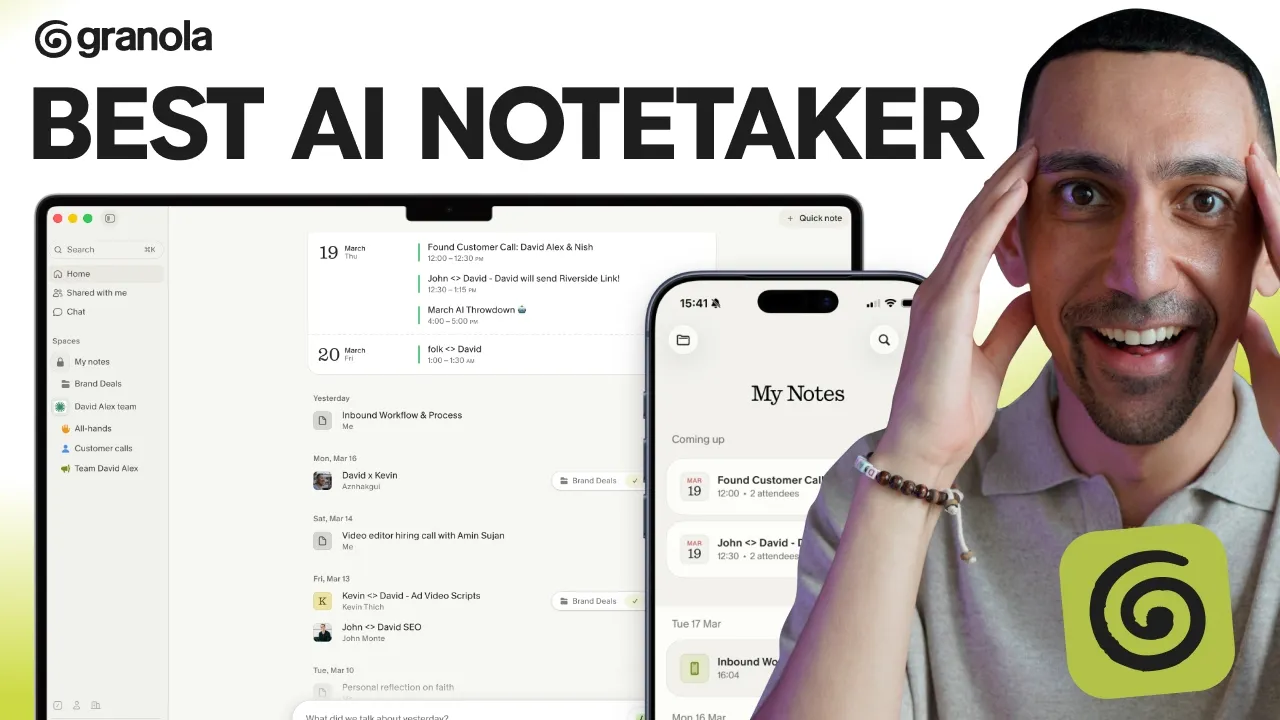
The notepad is the foundation of everything in Granola. During a meeting you get a simple notepad and you type as you would in Apple Notes or Notion. The difference is that Granola is transcribing in the background the whole time.
When the meeting ends, it merges your notes with the full transcript. If you only want to see what you typed, you flip a toggle and the AI additions disappear.
I'll be honest, the user experience is one of the cleanest I have seen in this category. It's fast and really pleasant to use. I'm also a big fan of the brand identity. It feels warm and calm, which sounds minor until you open it ten times a day.
2. Templates for every meeting type
Templates tell Granola how to structure your notes for each kind of meeting. If you have a set format for sales calls, customer discovery interviews or one-on-ones, you set it up once and Granola follows it automatically.
You can build your own structure or use a prebuilt template for weekly team meetings, standups and other common types. When I filmed, there were over 28 to choose from. The point is that the core information lands in the same place every time, so you don't have to go digging.
3. Granola Chat: a search engine for your meetings
Granola Chat is an AI assistant with full context on every meeting you've recorded. You can ask things like "What were the main objections in that sales call?" or "What did we decide about the timeline?" and it pulls the answer from the conversation.
The real power is that it searches across all your meetings. Fast forward a year. You've done dozens of customer interviews and want to know the top features customers keep asking for. Granola goes through every customer call and pulls out the relevant data.
A few more things worth knowing:
Folders. Group meetings into folders like customer interviews, internal meetings, one-on-ones or HR, then chat with just that folder. Granola recognizes meeting types and helps sort them for you.
Model choice. On paid plans you can pick the AI model you want for a given question. The free plan uses automatic model selection only.
During the call. You can use chat mid-meeting to pull up something from a previous call while you're on the current one.
Think of this as a search engine for your meetings.
4. Recipes: meetings that produce real work
Recipes are expert-crafted prompts that run on your meeting context. This is the feature that blew me away, and most people have no idea it exists.
Granola partnered with people who are top of their craft to write these prompts. A few examples:
Coach Me gives you leadership coaching feedback on how you showed up in a one-on-one, with specific, actionable advice drawn from the actual conversation.
Write PRD comes from Lenny, who hosts Lenny's Podcast. It turns a brainstorm or product discussion into a product requirements doc you can send to your team or use to vibe code something.
Prep Me gets you ready for your next meeting by pulling context from your past calls with that person.
A sales recipe analyzes your sales meetings for patterns and helps you improve your process.
You pull up any recipe in Granola Chat by typing a slash. You can also write your own recipes and share them with your team or keep them private.
Here's why this matters. With any AI tool, the input determines the output. Your meetings hold stakeholders, emotions, sentiment and months of product history. Recipes turn all of that into input for the work that moves your business forward, and that's before the simple stuff like writing a summary email after a call.
Try Granola free for a month with code DAVIDALEX
5. Sharing, integrations and mobile
Granola exports notes to Notion, Slack and other tools in one click, and pushes notes into your CRM automatically on the Business plan. Integrations include HubSpot, Attio, Affinity and Zapier. If your team runs on Notion, my Notion AI tutorial shows what you can build once the notes land there.
The mobile app gives you the same AI-enhanced notes on your phone, including phone calls. If you take a lot of calls on your phone, that's really valuable. Granola also supports multi-language transcription, which helps if you work with international clients.
How I use Granola: real-world examples
The most valuable use cases turn a pile of similar conversations into one reusable asset. Here are the ones I like most:
Vibe coding an app with a friend. Get on a call, talk through the idea, then have Granola generate the PRD.
Becoming a better leader. Run the Coach Me recipe on your one-on-ones.
Creating content from conversations. Turn calls into outlines, posts or scripts.
Here's the one I actually did. I talk to a lot of brands about sponsorships on my channel, and almost every brand asks the same questions on the intro call. So I set up a folder and had Granola record those calls. Once I had about 10, I asked Granola to outline the core conversation I have with every brand.
From that outline, I built a deck and recorded a 14-minute video walking through the key points. Now I can send it to future brands instead of booking the same intro call over and over. The brand watches it whenever they like, and I don't have a calendar full of repeat meetings. That's what I mean when I say Granola puts your meetings to work.
Granola pricing (checked October 19, 2026)
Granola has three plans: Basic (free), Business ($14 per user per month) and Enterprise ($35 per user per month). The prices match what I quoted in the video.
Plan | Price | Meeting history | What it adds |
Basic | $0 | 30 days | AI meeting notes, chat within and across meetings, shared folders, custom templates, multi-language support |
Business | $14/user/mo | Unlimited | Advanced AI models and model selection, integrations with Attio, Notion, HubSpot, Affinity and Zapier, MCP, API access, pre-meeting briefs, follow-up emails, centralized billing |
Enterprise | $35/user/mo | Unlimited | SSO, admin controls, priority support and usage analytics, org-wide auto-deletion, HIPAA-compliant workspaces, SCIM, audit API |
Prices from granola.ai/pricing in US dollars, shown per user per month. The page doesn't list a separate annual price. Confirm before you buy, since pricing changes.
The free plan covers most of what I showed in the video, so it's an easy way to try Granola. The catch is the 30-day meeting history, which works against the "search a year of meetings" idea. Most people reading this will land on Business at $14 a month, and that rate is really competitive for what you get.
My link plus the code DAVIDALEX gets you your first month free on a paid plan, so you can test the full version with zero risk.
What changed since the video
Android and Apple Watch apps. In March I mentioned the desktop and iPhone apps. The pricing page now lists desktop, iOS, Android and Apple Watch apps on every plan.
API access moved down to Business. In the video I listed API access under Enterprise. It's now included in Business, along with MCP integration.
Free plan history is now spelled out. The video said "limited meeting history." The pricing page now lists it as 30 days.
Granola pros and cons
Pros:
No bot joins your calls, and attendees get no notification
Your own notes stay at the center, with AI filling in the rest
One of the cleanest, calmest interfaces I've used in this category
Recipes turn meetings into PRDs, coaching, prep and sales analysis
Chat across every meeting or a single folder
A real free plan, and Business at $14 per user per month
Works on desktop and mobile, including phone calls
Cons:
No web app listed, so you need the desktop or mobile app
The free plan only keeps 30 days of meeting history
Model selection, CRM integrations and API access require a paid plan
SSO, admin controls and HIPAA workspaces are Enterprise only, at $35 per user
Is Granola worth it?
Yes, if your days are full of calls and you want those calls to produce real work. The notepad and bot-free recording make it pleasant to use every day, and Recipes are what set it apart from a standard AI note taker.
If you're a founder, creator, freelancer or anyone running a business on calls, Granola is worth checking out. The user experience is the most beautiful I've seen across AI transcription, note taking and notepad tools, and with Recipes on top, I see it as a no-brainer. Start on the free plan or grab the free month on Business.
Get your first month of Granola free with code DAVIDALEX
Granola review FAQ
Is Granola free?
Yes. Granola's Basic plan is free and includes AI meeting notes, chat, shared folders and custom templates. It keeps 30 days of meeting history. Business costs $14 per user per month for unlimited history.
Does Granola join your meetings as a bot?
No. Granola transcribes your device's audio directly, so no bot joins the call and attendees don't get a notification from a notetaker.
Does Granola work with Zoom, Google Meet and Teams?
Yes. Because Granola captures your computer's audio, it works with Zoom, Google Meet, Microsoft Teams, Slack and other meeting apps.
Is there a Granola web app?
Granola's pricing page lists desktop, iOS, Android and Apple Watch apps, with no web app. When I filmed the review, there was no browser version.
What are Granola Recipes?
Recipes are expert-written prompts that run on your meeting notes. Examples include Write PRD from Lenny's Podcast, Coach Me for leadership feedback and Prep Me for your next meeting. You can also create and share your own.
Does Granola train AI on my data?
Every plan lets you opt out of model training at any time. Enterprise adds an org-wide opt-out for the whole team.