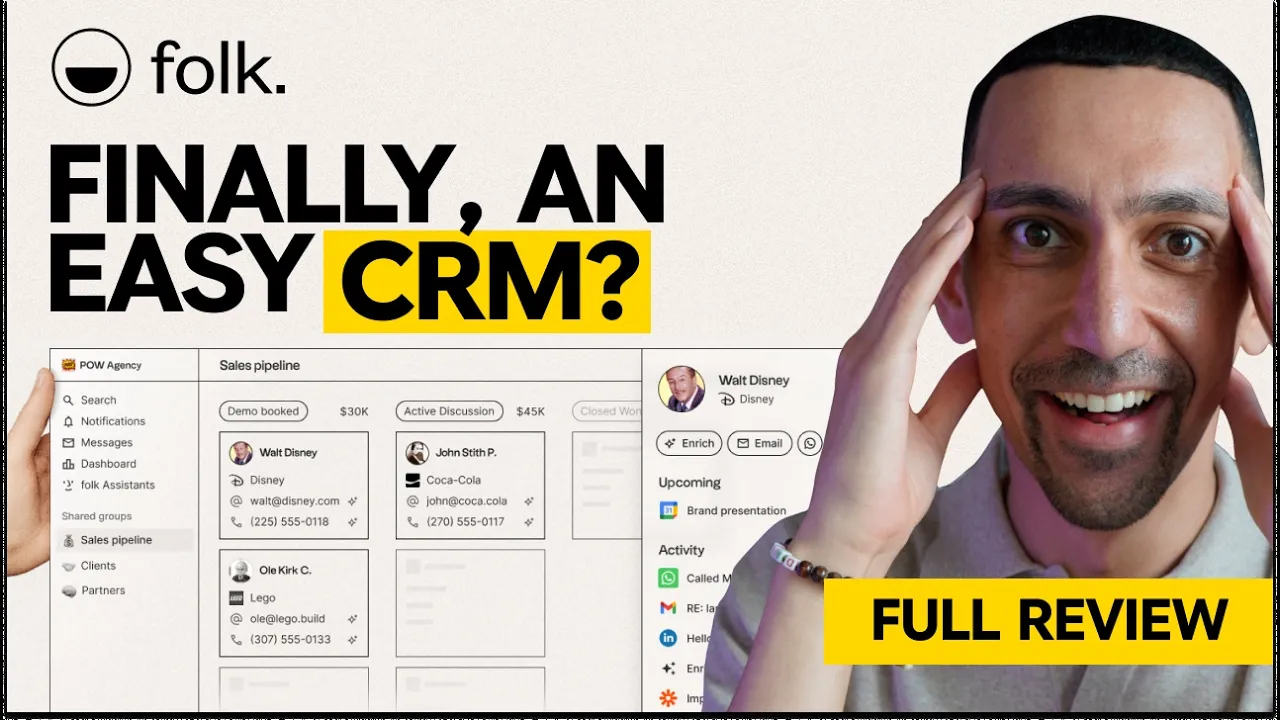
folk CRM Review 2026: Pipelines, AI Fields and Pricing
Most CRMs are built to push transactions, but your business runs on relationships that last longer than one sale. My team runs four pipelines in folk, from sponsorships to vendors. Here's how it works, what I'd change, and what each plan really costs today.
Software
9 min
It's not trying to be a CRM that manages transactions. It helps you manage the relationship.
Disclosure: I'm an affiliate for folk, so some links below are affiliate links. folk didn't pay for the video or this review, and I've included what I don't like about it.
Deal: Try folk CRM free for 14 days, no credit card required. https://go.davidalex.com/folk" rel="sponsored nofollow">Start the free trial
Quick answer
folk is a simple, Notion-style CRM built to manage relationships instead of only closing transactions. It syncs Gmail, Outlook, WhatsApp and LinkedIn, has contact enrichment built in, and runs multiple pipelines side by side. Plans cost $24 or $48 per member per month on annual billing, with a 14-day free trial and no credit card.
folk at a glance | |
What it is | A relationship-focused CRM for small teams |
Good fit for | Agencies, startups, small sales teams, partnership and VC teams |
Syncs with | Gmail, Outlook, Google Calendar, WhatsApp, LinkedIn |
Standout feature | Built-in enrichment plus AI fields that update themselves |
Price | Standard $24, Premium $48, Enterprise from $80 per member/mo (annual) |
Free trial | 14 days, all premium features, no credit card |
Apps | Web, desktop, iOS and Android, Chrome extension (folkX) |
How I tested folk
My team and I run our YouTube business on folk. We connected Gmail, imported our contacts, and built four pipelines for sponsorships, active projects, long-term partnerships and vendors. I'm on the Premium plan. I walked through the setup, browser extension, pipelines, AI fields and automations on camera, then re-checked every plan and limit on folk's pricing page on October 19, 2026.
What is folk CRM?
folk is a relationship management platform, a CRM designed to be simple without dropping the features that matter. It's used by over 4,000 companies, from small agencies to startups and sales teams.
The key difference is focus. Most CRMs are built to manage transactions. folk is built to manage the whole relationship, which is closer to how your brain actually works. You don't see people as a single sale. You see a relationship that may include a deal now, another one later, and a lot of conversations in between.
For a lot of business owners, that's what you need. Not complex software built to close as many deals as possible, but clarity on all your relationships so you can keep up with each one.
If you like tools like Notion, folk will feel familiar. The interface is clean and modern, so you're not learning a whole new system.
Who folk is for (and who it isn't for)
folk fits small teams that manage a lot of relationships across email, LinkedIn and WhatsApp and want a CRM their team will actually use.
Pick folk if:
You run an agency and manage client relationships, deals and onboarding
You're a startup or sales team that needs a CRM running in days, not weeks
You manage partnerships, brand deals, affiliates or vendors in separate pipelines
You're a VC tracking founders and portfolio relationships
You want enrichment built in instead of paying for a separate tool like Apollo
Look elsewhere if:
You need a CRM that moves deals through stages automatically based on email activity
You want an all-in-one platform with a website, email marketing and ads attached. My HubSpot alternatives guide covers that route.
Your team works entirely inside Gmail and wants the CRM in the inbox itself. See Streak vs Pipedrive.
How fast is folk to set up?
You can have folk up and running in 24 to 72 hours. When you open it, you're not staring at 40 tabs, a cluttered sidebar or a dashboard full of widgets you'll never touch. It's structured, minimal and intentional, which helps your team use it consistently.
You can import contacts from a CSV, or connect Gmail, Outlook, Google Calendar, WhatsApp and LinkedIn. As soon as we connected Gmail, folk imported our contacts. Within a few minutes, we had 1,100 contacts in our account.
That also brings in your email history. When I open a contact, I see every conversation I've had with that person or company. You can structure your CRM around companies too, which helps when you work with two, three or more people at the same brand.
folk's key features
folkX browser extension and built-in enrichment
The folkX extension lets you add anyone to your CRM from wherever you find them online. On LinkedIn, you get a dedicated button on each profile to add that person to folk. It works on Instagram and most major platforms too.
From there, one-click enrichment can find that person's email so you can start the conversation. You don't need a third-party tool like Apollo on top of your CRM. To me, that is super helpful.
The result is one source of truth for every relationship. Your WhatsApp conversation doesn't live separately from your email thread.
Multiple pipelines with custom fields
folk lets you build as many pipelines as you need, each with its own stages and custom fields. We run four:
New leads and potential projects
Active projects
Long-term relationships, partnerships and brands we work with ongoing
Freelancers and vendors who want to join the team
Here's the detail I really want you to catch. You choose exactly which fields show on the pipeline card. When I look at a potential sponsorship, I see the stage, the deal size and the last communication at a glance.
I also love that one contact can live in several pipelines. I might be talking to a brand about a new deal while we're running an active one, and my team can see where they stand in both.
Messaging a whole pipeline stage
You can email an entire stage of your pipeline at once. Say 15 or 20 contacts are sitting in one stage and haven't taken action. You can send just that group a promo or update, without building a separate list or figuring out who belongs on it.
One small detail I like: folk pulls in each company's logo automatically. It's a visual way to scan your account and find a relationship fast.
AI fields (Magic fields)
AI fields are custom fields that update themselves, pulling data from the web, your emails, your notes and your calendar. folk now labels them "Magic fields" on its pricing page. You can use them to:
Tag a lead based on topics in your email history
Classify a company as B2B or B2C automatically
Pull the latest news about a prospect into their profile
Clean up messy job titles across your whole database
The use cases are pretty endless. This is AI inside your CRM in a way that actually saves you manual updates.
Automations and AI assistants
folk's automations send personalized emails when a contact moves to a new stage. For example, when a potential sponsor moves from "brief sent" to "follow up," folk can send them a personalized email with no extra work from us. You define the trigger, build the template with as many variables as you want, and it runs. Open rates, replies and bounces are tracked right inside folk.
The built-in AI assistants include:
Follow-up assistant: scans your email and WhatsApp conversations and flags threads that have gone cold, on a timeline you set
Recap assistant: gives you an instant summary of your history with a contact before a call
Research assistant: enriches company information for your contacts
I love workflows like this. You set them up once, and they work for you a thousand times.
What I'd change about folk
The biggest gap is that pipeline stages don't update from your email activity. When I email someone in my pipeline, I have to go back into folk and move them to the next stage myself. I'd love a prompt that says, "You just emailed Alexandra. Should we move her to the next stage?" Until then, you have to keep that manual step in the back of your mind.
A few other things from my testing:
The status sidebar gets busy. When you open a contact's status options, a lot is going on. Simple dividers or section breaks would make it easier to scan.
Live updates. When I filmed, the app didn't refresh on its own across devices. I work on a laptop and a home office computer, so I had to refresh to see changes made on the other one. With several teammates editing at once, that can get confusing.
Mobile app. When I filmed, folk had no mobile app, which I called a huge loss. folk has since launched iOS and Android apps, listed on every plan, with contact capture, voice notes and interaction history. I haven't tested them yet.
How much does folk cost?
folk costs $24 per member per month for Standard and $48 for Premium on annual billing, or $30 and $60 billed monthly. Enterprise starts at $80 per member per month on annual billing. Prices were checked on folk.app/pricing on October 19, 2026.
Plan | Annual billing | Monthly billing | What it adds |
Standard | $24/member/mo ($288/yr) | $30/member/mo | Pipelines, email campaigns, enrichment (500 emails found/mo), AI assistants, Magic fields (2,000/mo), folkX extension, email, calendar and WhatsApp sync, Zapier and Make |
Premium | $48/member/mo ($576/yr) | $60/member/mo | Custom objects and deals, email sequences, workspace roles, dashboards, API access, 1,000 emails found/mo, 5,000 Magic fields/mo, 5 synced accounts per member |
Enterprise | From $80/member/mo ($960/yr) | From $100/member/mo | Custom limits, security controls, group-level permissions, dedicated account manager, priority support |
Honestly, for most small business owners, Standard covers everything you need. Premium makes sense for a slightly bigger team, for sophisticated reporting, or if you do a lot of outbound and need to find emails for more than 500 contacts a month. I'm on Premium with my team.
The free trial runs 14 days with all premium features and no credit card. If you don't upgrade, folk blocks the account but doesn't delete your data right away.
folk vs HubSpot and other CRMs
folk is lighter and cheaper than an enterprise CRM, and it focuses on relationships instead of high-volume sales. It's no HubSpot, and that's the point. You get a CRM you can set up in days, not a platform that can take weeks of onboarding before your team even starts.
CRM | Built for | Pick it if |
Relationship management across email, LinkedIn and WhatsApp | You want a clean CRM with enrichment built in | |
A CRM that lives inside Gmail | Your whole team runs on Gmail | |
HubSpot | An all-in-one marketing, sales and service platform | You need marketing automation and can pay for higher tiers |
A standalone sales pipeline CRM | You run a dedicated sales team with forecasting needs |
If you only need a personal CRM to keep up with your network, see my Dex review.
My final take on folk
If you like beautiful software and want a CRM your team will actually open every day, folk is built for you. The multiple pipelines, built-in enrichment and AI fields cover what most agencies, startups and partnership teams need, without enterprise pricing. The manual stage updates are the thing to plan around.
Start on Standard, build your first pipeline during the trial, and see how it fits your business.
Start your free 14-day folk trial, no credit card
folk CRM FAQ
What is folk CRM used for?
folk is used to manage relationships with leads, clients, partners and vendors. Teams use it to track pipelines, sync email and WhatsApp conversations, enrich contacts and automate follow-ups.
How much does folk CRM cost?
folk Standard costs $24 per member per month and Premium costs $48 on annual billing, or $30 and $60 billed monthly. Enterprise starts at $80 per member per month annually.
Does folk CRM have a free plan?
folk doesn't list a free plan on its pricing page. Every new workspace gets a 14-day free trial with all premium features and no credit card required.
Does folk integrate with Gmail and LinkedIn?
Yes. folk syncs Gmail and Outlook email, Google Calendar and WhatsApp, and the folkX Chrome extension adds LinkedIn and Instagram profiles to your CRM in one click.
Does folk have a mobile app?
Yes. folk now has iOS and Android apps for capturing contacts, recording voice notes and viewing interaction history. It also has a desktop app and a web app.
Is folk better than HubSpot for small businesses?
For small teams that want a simple, relationship-focused CRM, folk is easier to set up and costs less. HubSpot is a better fit if you need marketing automation, a website and service tools in one platform.