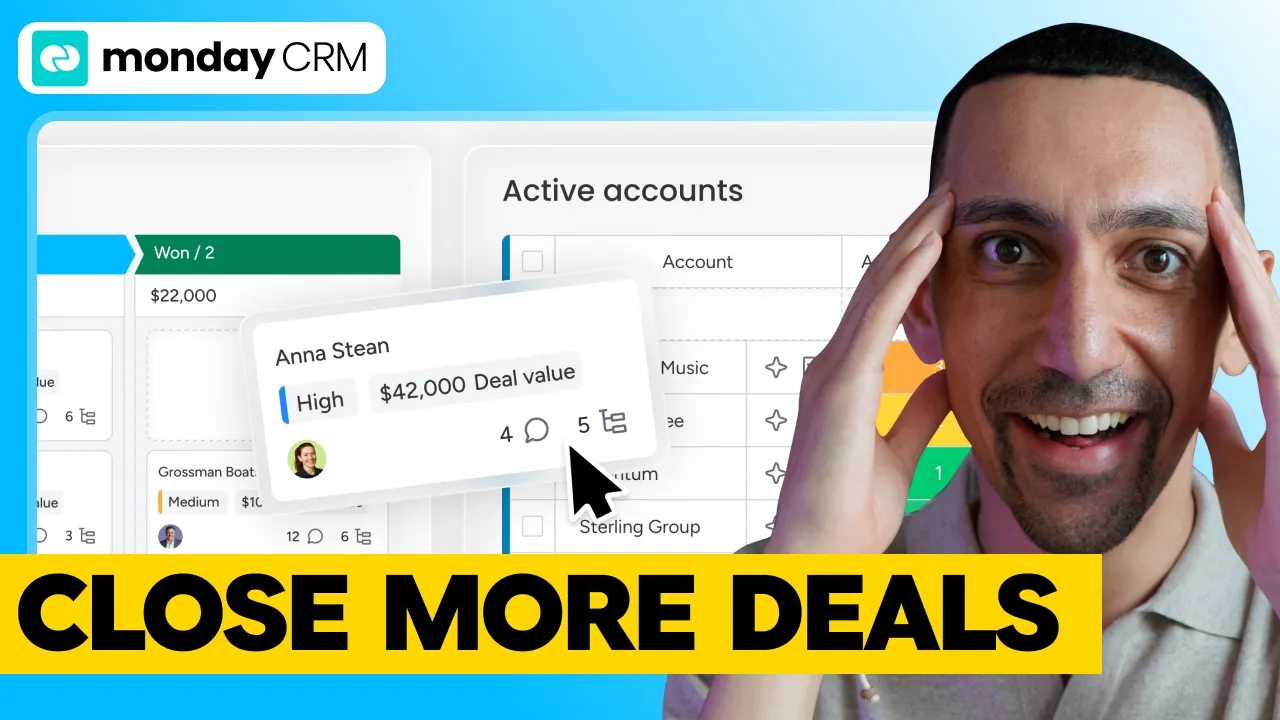
monday CRM Review 2026: AI Agents, Features and Pricing
Your CRM should find leads, qualify them and book meetings without your sales team doing the grunt work. I put monday CRM through every feature, from the visual pipeline to its two AI agents, and broke down what each plan really costs.
Software
10 min
It's not trying to be Salesforce.
Disclosure: monday.com sponsored the video this post is based on. I tested monday CRM myself, the opinions are mine, and I've included what I don't love about it too. Some links below are affiliate links.
Deal: Get started with monday CRM free, no credit card required. https://go.davidalex.com/monday-crm" rel="sponsored nofollow">Try monday CRM free
Quick answer
monday CRM is monday.com's standalone sales CRM for small and mid-sized teams. It gives you visual pipelines, two-way Gmail and Outlook sync, no-code automations, dashboards and two AI agents that find and qualify leads for you. Plans start at $12 per seat per month on annual billing, with a three-seat minimum and a 14-day free trial.
monday CRM at a glance | |
Good fit for | Sales teams of roughly 3 to 30 people |
Standout feature | AI Lead Agent and AI Sales Agent |
Two-way sync with Gmail and Outlook | |
Price | $12, $17 or $28 per seat/mo (annual), Ultimate on request |
Seat minimum | 3 seats on paid plans |
Free option | 14-day free trial, no credit card required. No free CRM plan. |
How I tested monday CRM
I walked through monday CRM on camera for the video above: the pipeline views, contacts and accounts, email sync and the AI note taker, automations, both AI agents, the smart CRM actions and the sales dashboards. Then I re-checked every plan, price and feature limit on monday.com's own pricing page and support docs on October 18, 2026.
What is monday CRM?
monday CRM is the dedicated sales product from monday.com, built to manage your whole customer lifecycle. You may know monday.com as a project management or work platform. monday CRM is a standalone CRM, a full sales platform in its own right, not a feature bolted onto something else.
It covers lead capture, lead management, account management, deal tracking, email engagement, pipeline management, forecasting and the post-sales handoff, all in one no-code platform. monday.com lists teams at Figma, Nestlé and Spotify among its CRM customers.
Who monday CRM is for (and who it isn't for)
monday CRM fits small business owners and sales leaders running a team of 3 to 30 people. If you've tried CRMs that were too complex to set up, too annoying to maintain or too expensive to justify, this was built for you. It's not trying to be Salesforce.
Pick monday CRM if:
You want pipeline management, email, outreach and AI prospecting in one place
Your team needs a CRM it will actually use, without a six-month implementation
You already run projects on monday.com and want sales in the same workspace
You want AI that finds and qualifies leads, not only AI that writes emails
Look elsewhere if:
You're a solo seller. Plans start at three seats.
You need email sequences and mass email on a budget. Those start on Pro.
You need deep enterprise customization and an admin team to run it. That's Salesforce territory.
monday CRM's key features
1. A visual sales pipeline
Everything in monday CRM revolves around your sales pipeline, and this is where you'll spend most of your time. Deal stages are fully customizable, so they match however your business actually sells. You drag deals between stages, color code by priority and see your whole pipeline at a glance.
You get three main ways to look at it:
Kanban view for a visual sales pipeline
Table view for the raw data
Timeline view when you need to see deal velocity over time
Every deal also has a centralized activity timeline. You see every email, call, note and task tied to that opportunity without digging through inboxes or asking your team what happened.
2. Contacts and accounts
This is where lead management and account management come together. You group contacts by account, tag them by source and filter by deal stage. It's structured the way you think about your customers, not the way a software engineer designed a database.
3. Email, the AI note taker and WhatsApp
This one is a huge win for small businesses: your email lives right inside your CRM. monday CRM has two-way sync with Gmail and Outlook, so every email is logged to the right deal or contact automatically. No more forwarding emails, and no more wondering if someone on your team already replied.
It goes beyond email. The AI note taker records your meetings, in person or virtual, and transcribes everything. It pulls out the decisions, the action items and who owns them, updates your CRM in real time and even drafts the follow-up email for you. For teams that sell internationally, WhatsApp conversations get captured the same way.
If your team also shares an inbox outside the CRM, my guide to email management software covers that side.
4. Templates, sequences and mass email
You can build your whole outreach workflow without leaving the platform. You get:
Email templates for the messages you send over and over
Sequences for multi-step follow-up cadences that run automatically
Mass email when you need to reach a larger list
Because it all lives in the CRM, your team sees which emails went out, who opened them, who clicked and where every deal stands. Note that sequences and mass email are on the Pro plan.
5. No-code sales automations
monday CRM's automations handle the things your team keeps forgetting to do. You build them once, and they run in the background. A few examples from the video:
A new lead comes in from a form and gets assigned to the right rep with round robin distribution
A deal moves to a new stage and triggers a follow-up task, so the next step happens immediately
A lead goes quiet for a few weeks and gets flagged, so your team can re-engage before it's gone
A deal closes, the fulfillment team gets notified and the onboarding project is created in the same workspace
Standard includes 250 automation actions a month, and Pro raises that to 25,000 for teams running heavier sales operations.
Get started with monday CRM free, no credit card
The AI side: what puts monday CRM in a different category
monday CRM's AI is built directly into your sales workflow, not sold as a separate add-on. AI actions do use credits, which I cover in the pricing section.
The AI Lead Agent
The AI Lead Agent is an automated prospecting engine. On the pricing page monday calls it the lead sourcer agent. You define your ideal customer profile: industry, company size, location, whatever criteria matter to your business. The agent finds matching leads from publicly available sources, adds them to your CRM and enriches them with relevant data.
You set a schedule, and it delivers fresh leads on a regular basis. This is the kind of work that used to need a dedicated SDR or an expensive third-party data platform.
The AI Sales Agent
The AI Sales Agent engages with your leads, runs the initial qualification conversations and books meetings for your reps. monday's pricing page lists it as the outreach caller agent. Every call gets a full AI call summary and transcript logged inside your CRM. So your team has complete context before they ever pick up the phone.
Smart CRM actions
Beyond the two agents, AI is woven into everyday CRM actions:
AI sales assistant: drafts personalized follow-up emails from your deal data and communication history
Sentiment detection: flags a prospect's messages as positive, negative or neutral, so you know which leads are hot
Data extraction: pulls key details from forms, emails and documents, so nobody does manual data entry
AI lead scoring: ranks prospects by their likelihood to convert, based on your actual closed-deal history
Sales dashboards and forecasting
monday CRM's sales dashboards pull real-time data from across your pipeline into one view. That includes revenue forecasting, deal velocity, win rates, rep performance and pipeline health.
You build a dashboard once, and it updates in real time. Share it with your team or your leadership, and there's no more end-of-week scramble to piece together where your revenue stands.
monday CRM pricing (checked October 18, 2026)
monday CRM has four tiers: Basic ($12), Standard ($17), Pro ($28) and Ultimate (custom), priced per seat per month on annual billing. Plans start at three seats, and monday says yearly billing saves 18% compared with paying monthly.
Plan | Annual billing | What you get |
Basic | $12/seat/mo | Customizable pipelines, contacts and boards, 1,000 active contacts and deals, 1 dashboard. No automations, integrations or email tracking. |
Standard | $17/seat/mo | Two-way email sync, email templates, the AI agents and AI note taker, 250 automations a month, 10,000 active contacts and deals, 5 dashboards |
Pro | $28/seat/mo | Everything in Standard plus email sequences, mass email, advanced forecasting, 25,000 automations a month, 100,000 active contacts and deals, 50 dashboards |
Ultimate | Contact sales | Advanced security, compliance and dedicated support for larger sales organizations. It's the new name for the Enterprise tier. |
Prices from monday.com/crm/pricing, US dollars, annual billing. Confirm before you buy, since pricing changes.
There's no free CRM plan. You start with a 14-day free trial, no credit card needed.
For most small sales teams, Standard is the plan I'd recommend. That's where monday CRM becomes a rockstar on your team, since it unlocks email sync, templates and the AI agents.
How AI credits work
AI credits are included on Standard and Pro, and on annual billing they work out to 1 cent per credit. monday's support docs list monthly credit buckets starting at 2,000 credits on Standard and 3,000 on Pro, and you can move up to a bigger bucket if you need more. Every AI action uses credits: Lead Agent searches, Sales Agent calls, email drafts and sentiment analysis. You can track all of it in the AI cost center, so you know what you're spending and where.
What monday CRM costs for your team
Team size | Plan | Monthly cost (annual billing) | Per year |
1 to 3 users | Standard (3-seat minimum) | $51 | $612 |
5 users | Standard | $85 | $1,020 |
10 users | Standard | $170 | $2,040 |
10 users | Pro | $280 | $3,360 |
25 users | Pro | $700 | $8,400 |
Seats are sold in set sizes after the three-seat minimum, so a four-person team pays for five seats. Check the seat options before you budget.
Pros and cons
Pros:
A standalone CRM built for sales, with pipelines, contacts, accounts and deals in one place
AI Lead Agent finds and enriches prospects on a schedule
AI Sales Agent qualifies leads and books meetings, with summaries and transcripts logged
Two-way Gmail and Outlook sync, plus an AI note taker and WhatsApp capture
No-code automations your team can set up without a developer
Real-time dashboards for forecasting, win rates and rep performance
A 14-day free trial with no credit card
Cons:
Three-seat minimum and fixed seat sizes, so a solo seller or a four-person team pays for seats they don't use
No free CRM plan, only a 14-day trial
Basic has no automations, integrations or email tracking, so most teams need Standard
Sequences and mass email are locked to Pro
AI actions consume credits, which is another cost to track on top of your seats
Standard caps automations at 250 a month, which a busy team can outgrow
What I liked and what to watch for
What I liked: the AI agents are what put monday CRM in a different category. A Lead Agent that fills your pipeline on a schedule and a Sales Agent that qualifies leads and books meetings is work that used to need an SDR. Two-way email sync with the AI note taker is the other big win, since it ends the "did anyone reply to this?" problem.
What to watch for: the three-seat minimum and the AI credits. Budget for both before you sign up, and check whether 250 automations a month on Standard covers your volume.
monday CRM vs. monday work management
monday CRM is the sales product, and monday work management is the project and workflow product. They're built on the same platform, so a closed deal can trigger an onboarding project in the same workspace. If you're comparing monday.com to database tools for project work, see my Airtable alternatives breakdown.
My final take
If you run a sales team of 3 to 30 people and you're tired of CRMs that are too complex or too expensive, monday CRM is a robust, simple CRM that doesn't make you sacrifice power. The AI agents are the reason to look at it, and Standard at $17 per seat per month is where I'd start.
If you're a solo seller or you need a heavily customized enterprise setup, look at other options first.
Get started with monday CRM free, no credit card
monday CRM review FAQ
Is monday CRM good for small businesses?
Yes. monday CRM is built for teams of roughly 3 to 30 people who want pipelines, email sync, automations and AI prospecting in one platform without an enterprise price tag or a long implementation.
How much does monday CRM cost?
monday CRM costs $12 (Basic), $17 (Standard) or $28 (Pro) per seat per month on annual billing, with a three-seat minimum. The Ultimate tier, formerly Enterprise, is priced on request.
Is monday CRM free?
monday CRM has no free plan. You get a 14-day free trial with no credit card required, and paid plans start at $12 per seat per month on annual billing.
Is monday CRM separate from monday.com?
monday CRM is a standalone product built by monday.com. It runs on the same platform as monday work management, so sales and project work can live in the same workspace.
Does monday CRM have AI?
Yes. monday CRM includes an AI Lead Agent, an AI Sales Agent, an AI email assistant, sentiment detection, data extraction and AI lead scoring. AI actions use credits, and you can track usage in the AI cost center.
Does monday CRM integrate with Gmail and Outlook?
Yes. monday CRM has two-way sync with Gmail and Outlook on the Standard plan and above, so emails are logged to the right contact and deal automatically.