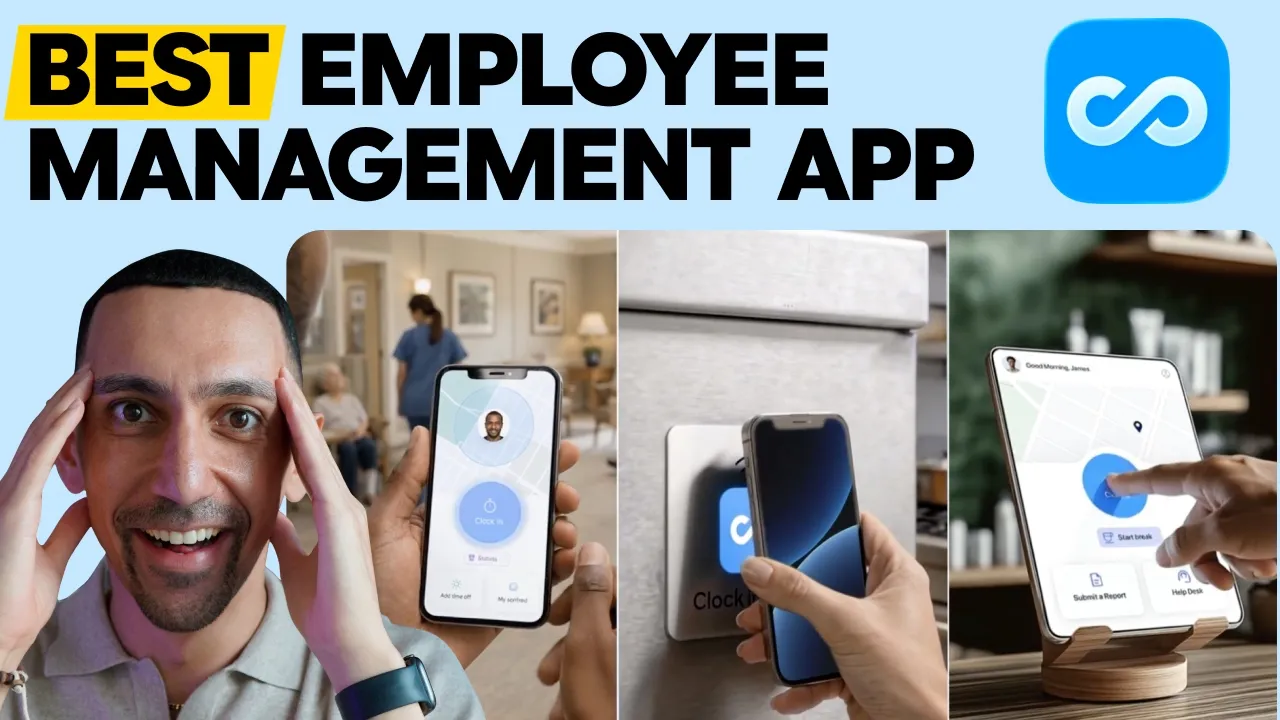
The Employee Management App Your Team Will Actually Use (2026 Breakdown)
The worst outcome with employee software isn't a missing feature. It's paying for an app your team never opens. I looked at Connecteam from the employee's side first, then checked which plan each feature actually needs and what it costs for a 30-person team.
Software
9 min
Your employees download one app, not five.
Disclosure: Connecteam sponsored the video this post is based on. The verdicts are mine, and I've included the plan limits and costs the video skipped. Some links below are affiliate links.
Deal: Connecteam is free for teams of up to 10 users, and paid plans start with a 14-day free trial, no credit card required. https://go.davidalex.com/connecteam" rel="sponsored nofollow">Try Connecteam free
Quick answer
For teams that don't sit at desks, Connecteam is the employee management app I recommend. Time clock, scheduling, time off, chat, training and a knowledge base all live in one mobile app with one login. It's free for up to 10 users, and paid hubs start at $29 a month for your first 30 users.
Connecteam at a glance | |
Built for | Field, shift and frontline teams (construction, cleaning, restaurants, retail, healthcare, field service) |
Apps your team installs | One |
App Store rating | 4.9 (60,000+ ratings, US App Store) |
Free plan | Up to 10 users, all hubs |
Paid pricing | $29 / $49 / $99 per hub per month, billed annually, flat for the first 30 users |
Free trial | 14 days, no credit card |
Pick it if… | Your last app rollout died because nobody opened it |
What makes an employee management app work for employees?
If you run a field team, the worst thing that can happen is paying for a tool your people never open. Most employee software gets picked by managers for the manager dashboard. The workers get an afterthought of a phone app, and within a month they're back to texting you about shifts.
So I judge these apps from the employee side first. Three questions decide it:
Can someone with almost no tech experience use it without training?
Does it replace the pile of apps, texts and paper they deal with now?
Do the things they care about (their hours, their shifts, their time off) show up on their phone without asking a manager?
If the answer to all three is yes, adoption takes care of itself. If not, the manager features don't matter, because there's no data going into them.
What is Connecteam?
Connecteam is a mobile-first employee management app built for teams that don't sit at desks. Think construction crews, restaurant staff, cleaning teams, retail, healthcare and field service. People on their feet all day with a phone in their pocket.
The platform is split into three hubs:
Operations hub: time tracking, scheduling and forms.
Communications hub: chat and company updates.
HR & Skills hub: hiring, onboarding, training and documents.
Because it was designed for the phone first, the app is simple enough for workers to pick up without a training session. That shows in the ratings. Connecteam lists 4.8 out of 5 on Google Play, and Apple's US App Store shows 4.9 from more than 60,000 ratings. In this category, that's rare.
If you want the full manager-side walkthrough, I cover it in my Connecteam review.
How I tested
This breakdown comes from my hands-on walkthrough of the Connecteam app for the video above, viewed from the employee side: clocking in, checking timesheets, viewing and changing shifts, requesting time off, using chat and the AI agent, and taking a training course. I then checked every price and plan limit against Connecteam's US pricing page, because the video gives starting prices but doesn't spell out which tier each feature needs.
One app, one login
This sounds simple, but it's a big deal. Without one app, employees juggle separate tools for scheduling, clocking in and out, PTO requests, tasks, messages and forms. Every extra app is another login to forget and another reason to stop checking.
With Connecteam, your team downloads one app. Everything sits behind one login. That alone removes most of the friction that kills adoption.
Clocking in and fixing timesheets
Employees clock in and out from their phone, check their own timesheet, and fix mistakes before payroll runs. Any change goes to you for approval. For you, that ends the payroll-day scramble and keeps timesheets digital and clean.
On top of the basic clock:
Geofences so people can only clock in on site.
Auto clock-out for people who forget.
NFC tag clock-in for fixed locations.
Break and overtime rules to keep you compliant.
Shift notifications that alert employees to new shifts and remind them before a shift starts.
That self-service is what makes people feel in control of their own hours instead of chasing a manager. And you can see who clocked in and who's running late.
Plan note: geofencing and auto clock-out are on the Operations Advanced plan and up (up to 10 geofenced sites), with unlimited geofences on Expert. Basic includes the GPS time clock and payroll integration.
Scheduling from the employee's phone
Employees see their schedule in real time and get notified the moment it's published. Team members can make schedule changes without the manager stepping in, which cuts the back-and-forth and gives your team more control.
On your side, you can build schedules from templates, copy the previous week over, or let the AI auto-scheduler build the whole schedule from availability and roles.
Plan note: basic scheduling with open shifts is on Basic. Repeating shifts and templates start on Advanced. The AI auto-scheduler (auto-assign shifts) is Expert only.
If scheduling is your main job, I compare five apps on cost and features in my employee scheduling app breakdown.
Try Connecteam free for up to 10 users
Time off without the guessing
Employees submit leave requests in the app and see their own balances, so nobody has to ask how many days they have left. Time off syncs with the schedule, so you know exactly who's working on any given day. Staff can also attach a file to a request, like a doctor's note, straight from their phone.
Chat, updates and the AI agent
For communication, this actually reaches your team. There's one-on-one and group chat, plus a company feed for announcements. The difference for a worker is that updates land on their phone instead of getting buried in a group text or an email they never check.
The AI features push it further:
AI agent in chat. Employees ask a question and get an instant answer pulled from your own company resources, like safety steps, manuals or procedures. No waiting on a manager.
Auto-translate. Updates can be translated into each employee's preferred language. For a multilingual team, this is huge.
Plan note: Connecteam's pricing page lists auto-translate on the Communications Expert plan, while its updates feature page says Advanced. Confirm in your trial before you plan around it.
Training and the knowledge base
New hires and existing staff take courses right on their phone instead of at the office or on a desktop at home. Someone can finish a module on their break instead of losing a shift to training.
The knowledge base keeps your policies, handbooks and procedures in one searchable place. When an employee needs an answer mid-shift, they get it without waiting for a supervisor to call back.
What managers get
The employee side is why I recommend it, but managers get plenty too. My favorite manager tools are geofencing, the AI course creator and the AI auto-scheduler, which builds a full schedule from availability and roles in seconds. If you're weighing Connecteam against broader platforms, I rank five options in my workforce management software comparison.
How much does Connecteam cost?
You pay for each hub separately, so you only buy what you need. Prices are the same across all three hubs, and each plan's price is fixed for your first 30 users.
Plan | Annual billing | Monthly billing | What it adds |
Small Business | Free | Free | Up to 10 users, all hubs |
Basic | $29/mo per hub | $35/mo per hub | Core features: GPS time clock, payroll integration, basic scheduling, forms |
Advanced | $49/mo per hub | $59/mo per hub | Geofencing (10 sites), auto clock-out, templates and repeating shifts, automated workflows |
Expert | $99/mo per hub | $119/mo per hub | Unlimited geofences, AI auto-assign shifts, GPS breadcrumbs, process automation, API |
Enterprise | Custom | Custom | For larger organizations, contact sales |
Prices checked on Connecteam's US pricing page, October 18, 2026. Annual billing saves 18%.
What it really costs for a 30-person team, billed annually:
Setup | Monthly cost |
Operations hub only, Basic | $29 |
Operations hub only, Advanced | $49 |
All three hubs, Basic | $87 |
All three hubs, Advanced | $147 |
Past 30 users, you pay per extra user (on annual billing): $0.80 / $2.50 / $4.20 on the Operations hub, and $0.50 / $1.50 / $3.00 on Communications and HR & Skills, for Basic / Advanced / Expert.
Which plan should you pick? Basic covers a lot of small teams. Advanced is the one I point most growing teams to, because it adds the scheduling, geofencing and automation features that save the most time. Expert is for operations-heavy teams that want to automate everything, including live GPS tracking and API access.
One caveat on the free plan: Connecteam's comparison table shows payroll integration as not included on Small Business. If you need hours flowing into payroll, budget for Basic.
Connecteam pros and cons
Pros
One app and one login for everything employees touch
Rated 4.9 on the US App Store, which is rare for work software
Employees fix their own timesheets and see their own shifts and balances
AI agent answers questions from your own documents
Free for up to 10 users, flat pricing for the first 30
Cons
Hub-by-hub pricing takes a minute to understand, and three hubs triple the cost
Templates, geofencing and the AI auto-scheduler sit on higher tiers
Payroll integration isn't on the free plan
Auto-translate's plan tier is listed inconsistently on Connecteam's own site
Who is Connecteam for?
Pick Connecteam if your team works away from desks and lives on their phone: construction, cleaning services, restaurants, retail chains, healthcare facilities and field service businesses. If your people are on job sites, on the road or somewhere without a computer, it meets them where they already are.
It's especially worth it if you've rolled out an app before and your team stopped using it. The whole strength here is that workers actually open it.
Skip it if your team sits at desks all day and already lives in Slack and an HR suite. You'd be paying for mobile-first features you won't use.
Get Connecteam free for teams of 10 or fewer
Employee management app FAQ
What is the best employee management app for employees?
For field and shift teams, I recommend Connecteam, because employees get one app for clocking in, shifts, time off, chat and training, and it's rated 4.9 on the US App Store. Desk-based teams may be better served by an HR suite.
Is Connecteam free?
Yes, for teams of up to 10 users. The free Small Business plan covers all three hubs. Larger teams can try paid plans free for 14 days with no credit card.
Can employees fix their own timesheets in Connecteam?
Yes. Employees can review and correct their timesheet from the app before payroll, and every change is sent to a manager for approval.
Does Connecteam use AI?
Yes. There's an AI agent in chat that answers employee questions from your company's own documents, auto-translation for updates, an AI course creator and an AI auto-scheduler. Some of these are only on higher plans.
How much does Connecteam cost per month?
Paid plans are $29, $49 or $99 per hub per month on annual billing, flat for your first 30 users. Monthly billing is $35, $59 or $119. Each extra user beyond 30 costs between $0.50 and $4.20 a month depending on hub and plan.
What should I look for in an employee management app?
Look for an app your team can use without training, one login that replaces your separate tools, self-service for shifts, timesheets and time off, and pricing that stays predictable as you hire.