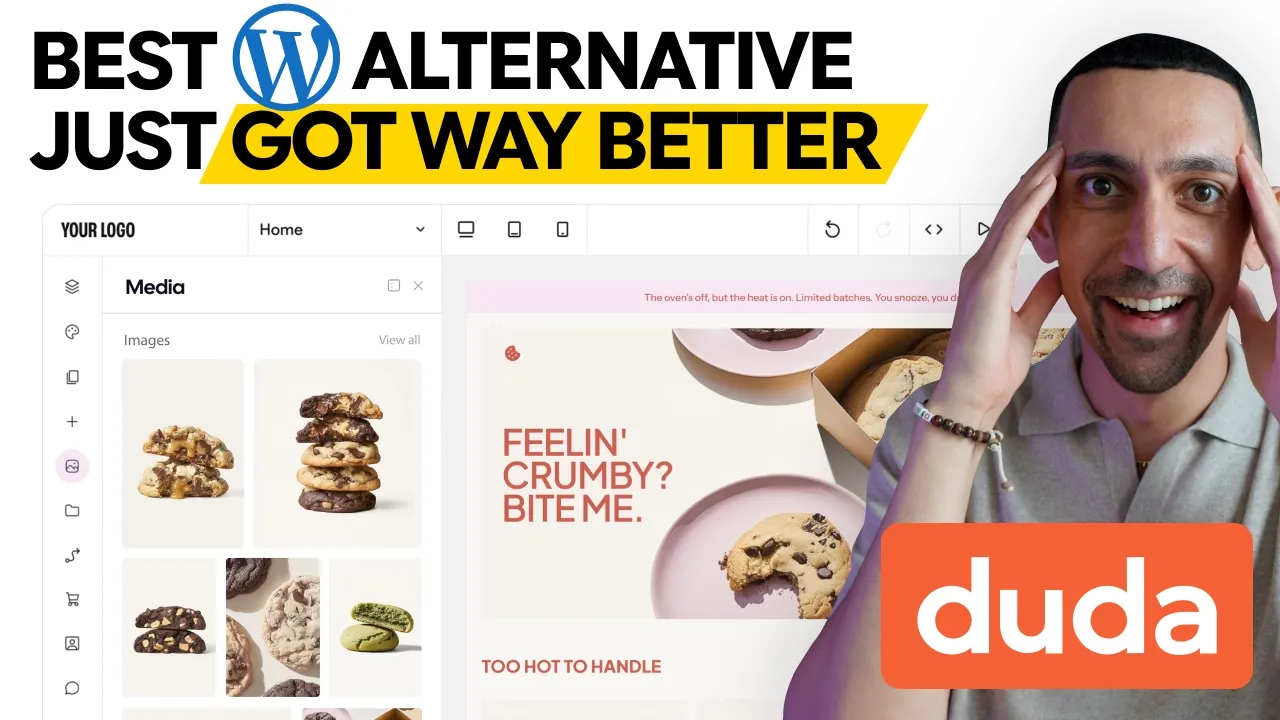
Duda Review 2026: A WordPress Alternative Built for Agencies
You've rebuilt the same client site in WordPress three times just to show different designs, then spent the next year patching plugins. Duda takes one client's content and drops it into several templates in minutes, with hosting, SEO and client billing built in. Here's what it does, where it falls short, and which plan fits.
Software
11 min
This is the kind of workflow that would've taken me weeks in WordPress.
Disclosure: Duda sponsored the video this post is based on. The opinions are mine, and I've included what doesn't fit every business too. Some links below are affiliate links.
Deal: Save 25% on an annual Duda plan, plus a 14-day free trial with no credit card required. https://go.davidalex.com/duda" rel="sponsored nofollow">Start the free trial
Quick answer
Duda is a drag-and-drop website builder made for agencies, freelancers and anyone building lots of client sites. Hosting on AWS, SEO tools, AI and client management are all built in, so there are no plugins to maintain. Plans run $19 to $149 a month on annual billing, with a 14-day free trial.
Duda at a glance | |
Good fit for | Web design agencies, freelancers and teams managing many client sites |
How you build | Drag-and-drop editor, AI content import, AI Copilot, or dev mode with full code access |
Hosting | Included, on AWS, with automatic SSL and CDN |
Standout feature | AI content importer that fills several templates with one client's content |
Price | $19, $29, $52 or $149/mo (annual), plus Custom |
Trial | 14 days, no credit card, plus a 30-day money-back guarantee |
How I tested Duda
I walked through Duda on camera for the video above: the AI content importer, templates, the SEO dashboard, the AI tools and widget builder, client management, and all five plans. I've built over 300 websites in the last decade on almost every platform, so I judged it the way I'd judge any tool I'd run client work on. I re-checked every plan and price on Duda's pricing page on October 19, 2026.
What is Duda?
Duda is a website builder for professionals who build and manage many websites. It's not aimed at a hobbyist making a first blog. It's for agencies, designers, SaaS platforms and hosts that need to launch high-performing sites fast and hand them off to clients.
More than 23,000 agencies, hosts, media publishers and SaaS platforms use Duda. When I recorded the video, the average customer ran about 50 sites, and Duda held a 4.7 out of 5 rating on G2.
How Duda is different from WordPress
Duda differs from WordPress in three ways: the editor, the hosting and the client tools.
The editor. It's drag and drop, and it's actually powerful. WordPress was designed over 20 years ago, and its backend shows it.
The hosting. Every site is hosted on AWS, so you aren't shopping for a host or dealing with hosting headaches.
Collaboration and client management. This is my favorite. The whole platform is built for working with clients, and WordPress isn't.
People will tell you WordPress is free. It really isn't. Once you add hosting, premium plugins, themes, maintenance, updates and security, it gets expensive, and you're managing a lot of separate accounts. If you're still deciding between platforms in general, my guide on how to start a website for your small business covers the basics, and I compare the two big DIY options in Squarespace vs WordPress.
Who Duda is for (and who it isn't for)
Duda fits anyone who builds websites for other people, or builds a lot of them.
Pick Duda if:
You're an agency or freelancer and want to show clients several finished designs fast
You manage many client sites and want them all in one dashboard
You want to bill clients for their site inside the platform
You want to resell website building under your own brand
Look elsewhere if:
You only need one simple site and want the lowest price. Basic is $19 a month, and cheaper builders exist.
You rely on a specific WordPress plugin with no equivalent
You want an AI builder that designs the whole site for you. Duda's AI is helpful, but it doesn't replace a designer.
Duda's key features
1. The AI content importer
Duda's AI content importer turns your client's information into a full multi-page website in seconds. This is the feature that made me stop and say, wait, what is this?
Here's how it works. You send your client a form, and that form comes pre-built with every new Duda account. They fill in their business info, images, social links and whatever else you need. Then Duda's AI reads those answers and generates the whole site.
And here's the part that gets wild. You can drop that same content into three, four or five different templates. That means you can present your client with several fully built website options in minutes, with no copying, pasting or rebuilding. This is the kind of workflow that would've taken me weeks in WordPress.
The form isn't the only source, either. You can import content from a file, a URL or an existing website, and the AI pulls everything in and formats it.
2. Templates and reusable sections
Duda's templates are responsive by default and built on modern CSS Grid and Flexbox, so they hold up when you customize them. Most builders give you templates that look great in preview and fall apart the second you start editing. I really like Duda's because they're modular.
You can browse an inspiration gallery of real sites built by real agencies. You can also save your own templates and sections and reuse them across every project. Build a great hero section for one client, and you can deploy it on 50 other sites in a click.
That also works for scale. If you deliver the same site for different markets, locations or real estate agents, you can build one template and roll it out to all of them.
3. Built-in SEO and performance
Duda has SEO built into the platform, so you don't need a plugin like Yoast or Rank Math. An AI SEO assistant generates metadata, image alt text and structured schema for your entire site in one click, rather than page by page.
I love how the SEO dashboard lays everything out on one page, showing what you need to fix or customize. One small feature I really like: you can see every image on your site on one page and edit all the alt text there. No clicking through page after page and trying to remember which ones you already did.
Hosting on AWS also means automatic SSL and CDN delivery, so sites load fast out of the box without optimization plugins. If showing up in AI search matters to you, Duda now sells an AI Visibility add-on, and my post on how to rank on Google, AI and ChatGPT covers the wider picture.
4. The AI stack and custom widget builder
Duda's AI tools can generate sections, pages or a whole site, and its Copilot lets you build and edit with plain-language prompts. Duda has gone all in on AI, but in a way that makes sense. You can use it across site building, content, new site versions and SEO.
Here's my honest take, though. What they have is nice, but across the board, AI website builders haven't reached the point where they replace a designer. I tested five of them side by side in my AI landing page builder comparison if you want to see where the category is.
Two more AI pieces stand out:
AI Widget Builder: create interactive elements without code, like a pricing calculator.
MCP connector: connect Duda to MCP servers so it works with other tools in your workflow.
5. Client management, billing and white label
Duda's client management tools let you run every client site from one dashboard. This is where Duda is a different kind of builder from anything else on the market.
Here's what you get:
One dashboard for all client sites, with tags to track project status
Granular permissions, so a client can edit their site, only view it, or have no access at all
Client billing built in. You charge whatever you want, as often as you want, and Duda handles the payments.
Payment triggers that can unpublish a site if a payment is missed
White label, so you can add your own logo, colors and domain. Your clients never see the Duda name, and it feels like your own software.
Other features worth knowing
Dynamic pages that generate hundreds of landing pages from a database
Dev mode with direct access to the HTML, CSS and JavaScript
External collections that pull in data from sources like Google Sheets or Airtable
Memberships, e-commerce and bookings built in
An app store with integrations for dozens of tools, including CRMs
A REST API for automating site creation and management
Duda pricing (checked October 19, 2026)
Duda has four self-serve plans plus a Custom plan: Basic ($19), Team ($29), Agency ($52) and White Label ($149) per month on annual billing. Monthly billing costs about 25% more, and annual plans are charged up front.
Plan | Annual billing | Monthly billing | Sites included | Team seats | What it adds |
Basic | $19/mo | $25/mo | 1 | Not listed | AWS hosting, email support, AI tools with 150 AI credits a month |
Team | $29/mo | $39/mo | 1 | 3 | Client management and code access |
Agency | $52/mo | $69/mo | 4 | 6 | Priority support, code export, custom widgets, advanced security |
White Label | $149/mo | $199/mo | 4 | 6 | Rebranded platform, branded client communication, custom platform domain, white label support portal |
Custom | Contact sales | Contact sales | Negotiated | Custom | Volume pricing, API access, 24/7 support, dedicated account team |
Prices from duda.co/pricing, US dollars. Confirm before you buy, since pricing changes.
Extra sites cost $17 a month on Team, Agency and White Label, or $19 a month on Basic. The free trial runs 14 days with no credit card, and it includes the White Label features. There's also a 30-day money-back guarantee, and Basic comes with a free domain for the first year through a Duda partner.
Which Duda plan should you pick?
Basic is a no-brainer if you're a small business owner who needs one solid site with zero maintenance.
Team fits a freelancer or small agency that needs teammates and client management.
Agency is where I think most people watching the video land. Four sites are included, and it's a good place to start scaling.
White Label is for an agency that wants to own the entire customer experience under its own brand.
What Duda costs as you add sites
Client sites | Plan | Monthly cost (annual billing) | Per year |
1 | Basic | $19 | $228 |
4 | Agency | $52 | $624 |
10 | Agency + 6 extra sites | $154 | $1,848 |
10 | White Label + 6 extra sites | $251 | $3,012 |
25 | Agency + 21 extra sites | $409 | $4,908 |
At 10 sites on Agency, that's about $15 a site per month for hosting, SEO tools, AI and client management. You can also bill each client more than that inside Duda, so the platform can pay for itself.
Duda pros and cons
Pros:
The AI content importer builds several finished site options from one client's content
Client management, permissions and billing are built in
Full white labeling on the White Label plan
SEO tools, schema and bulk alt text editing with no plugins
Hosting on AWS with SSL and CDN included
Dev mode, REST API and MCP connector for developers
Templates and saved sections you can reuse across every site
Cons:
Basic and Team include only one site, so you'll pay $17 to $19 a month for each extra site until you move up
The AI builder helps, but it doesn't replace a designer
AI usage comes with a set allowance of 150 AI credits a month
API access and 24/7 support sit on the Custom plan
Annual plans are charged up front, and monthly billing costs about 25% more
It's more platform than a one-site small business owner needs
Duda alternatives
The main Duda alternatives are WordPress for full control, and Squarespace or Wix for simpler single sites.
Tool | Starting price | Built for | Pick it if |
$19/mo (annual) | Agencies and pros building many sites | You build and manage client sites at scale | |
WordPress | Free software, plus hosting, themes and plugins | Anyone who wants full control | You need a specific plugin or total code ownership |
See squarespace.com/pricing | Single-site owners who want design-led templates | You're building your own site, not client sites | |
Hosting from $2.95/mo (12-month prepay) | Small businesses that want hosting plus an AI builder | You want the lowest cost for one site |
I reviewed the GreenGeeks AI website builder separately if you're comparing budget options.
My final take
Look, WordPress isn't going anywhere. It's powerful and flexible. But if you value your time, want to build more client sites and want a platform with consistent updates and no plugin security headaches, Duda is the move.
My favorite feature is still the content importer. Being able to show a new client three finished websites in under 10 minutes changes how you pitch. Add the SEO tools, the AI stack, client management and white labeling, and there's really no other platform I've used that lets you scale client work the way Duda does.
Save 25% on an annual Duda plan and start a 14-day free trial
Duda review FAQ
What is Duda used for?
Duda is used to build, host and manage professional websites, mostly by agencies, freelancers, SaaS platforms and hosts. It includes client management, billing and white labeling so you can run many client sites from one dashboard.
How much does Duda cost per month?
Duda costs $19, $29, $52 or $149 a month on annual billing, or $25, $39, $69 or $199 billed monthly. Extra sites cost $17 a month on most plans, and larger agencies can get Custom pricing.
Does Duda have a free trial?
Yes. Duda has a 14-day free trial with no credit card required, and the trial includes White Label features. Paid plans also come with a 30-day money-back guarantee.
Is Duda better than WordPress?
For agencies building many client sites, Duda saves time because hosting, SEO, security and client tools are built in with nothing to maintain. WordPress is still the pick if you need a specific plugin or full control over your code and hosting.
Can you white label Duda?
Yes. The White Label plan lets you rebrand the platform with your own logo, colors and domain, plus branded client emails and a white label support portal. Clients never see the Duda name.
Does Duda include hosting?
Yes. Every Duda plan includes hosting on AWS, with automatic SSL and CDN delivery, so you don't need a separate host.