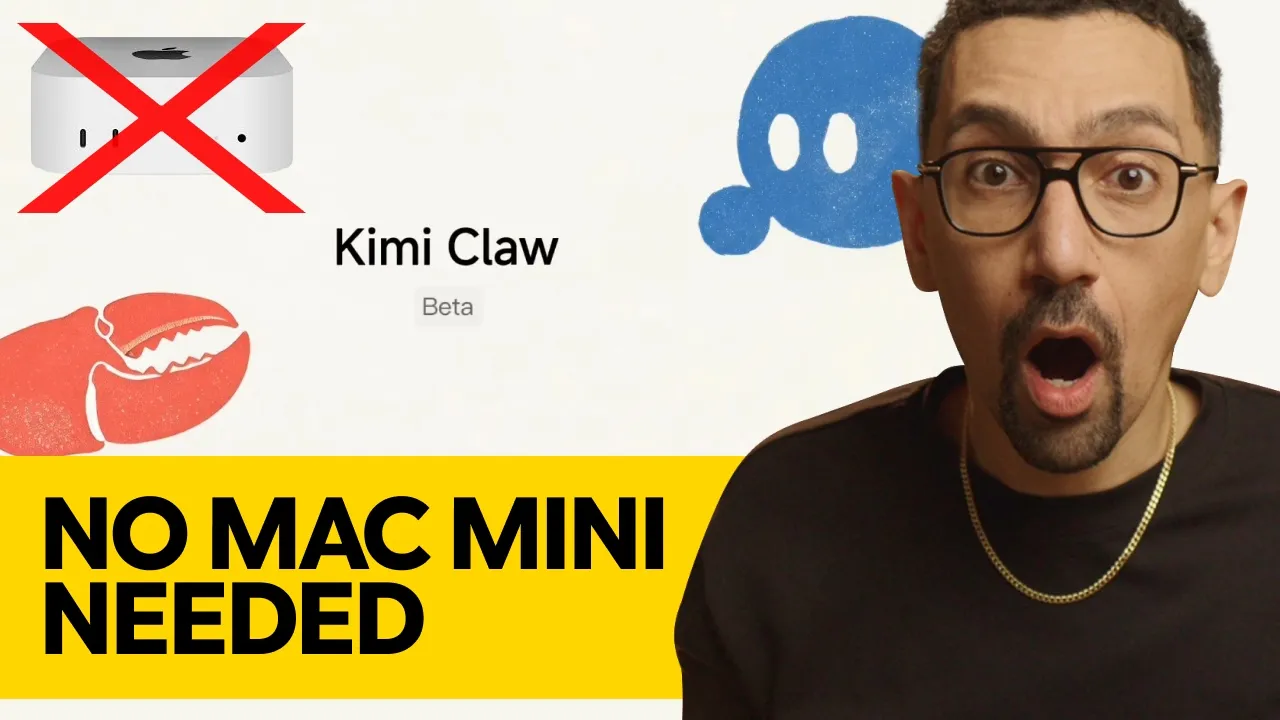
Kimi Claw: How to Run OpenClaw in One Click Without a Mac Mini (2026)
OpenClaw is the AI agent everyone wants to try, but the usual setup means a Mac Mini, a terminal and a pile of security questions. Kimi Claw puts it in the cloud behind one button. I set it up in the morning and by the end of the day it was running five agents and a live dashboard. Here's how to set it up, what it can do and where it falls short.
Automations
9 min
I don't think you should land here. I think you should start here.
Disclosure: Some links in this post are affiliate links. If you sign up through them I may earn a commission, at no extra cost to you.
Deal: Start Kimi Claw from your Kimi account in one click, no hardware needed. https://go.davidalex.com/kimi" rel="sponsored nofollow">Try Kimi Claw
Quick answer
Kimi Claw is a one-click, cloud-hosted version of OpenClaw built into kimi.com. You get a 24/7 AI agent with long-term memory, cloud storage and Telegram access, without buying a Mac Mini or touching a terminal. It's a great place to start with OpenClaw. I don't think it's where you should land.
Kimi Claw at a glance | Details |
What it is | OpenClaw running in Kimi's cloud, set up from kimi.com |
Made by | Moonshot AI, the Chinese company behind the Kimi models |
Launched | February 16, 2026 |
Model | Kimi K2.5 at launch (Kimi now lists K3 as its newest) |
Price at launch | $39/month (Allegretto plan) |
Storage | 40GB of cloud storage for files, context and memory |
Chat app | Telegram, connected through BotFather |
Big limit | One Claw instance per account, with sub-agents under it |
What is Kimi Claw?
Kimi Claw is OpenClaw, the open-source AI agent, hosted for you inside Kimi. OpenClaw is an agent that runs around the clock, remembers context and does work on its own, usually through a chat app like Telegram. Normally you install it yourself on a Mac Mini, a Mac Studio or a VPS. Kimi Claw skips all of that.
Here's what Kimi Claw includes:
24/7 assistant with long-term memory and automation
40GB of cloud storage for persistent files, context and memory
Real-time information retrieval from the web
Multi-channel operations, so it can work across connected tools
Proactive execution, meaning it runs tasks without you prompting each one
ClawHub skills, the same skill library the self-hosted version uses
A built-in terminal where you can paste commands and make updates
That last one matters more than it sounds. It's the part that lets you fix things without SSH or a local machine.
How is Kimi Claw different from ChatGPT or full OpenClaw?
Kimi Claw sits right in the middle. It's not fully OpenClaw, but it's not ChatGPT either. A chatbot waits for you to ask. Kimi Claw can autonomously and proactively do things for you, like running daily research or drafting scripts on a schedule.
ChatGPT or Claude chat | Self-hosted OpenClaw | ||
Runs 24/7 on its own | No | Yes | Yes |
Setup | Sign in | One click, plus Telegram | Terminal, hardware or VPS |
Hardware cost | None | None | Mac Mini around $1,000 and up |
Monthly cost | Chat subscription | Kimi plan ($39/mo at launch) | Model API costs |
Model choice | Fixed | Kimi models | Your pick |
Multiple agents | No | One instance, sub-agents under it | As many as your machine runs |
Control over data | Provider | Kimi's cloud | Your machine |
Pick Kimi Claw if you want to try OpenClaw this week without buying hardware. Pick self-hosted OpenClaw if you already know you want multiple agents and full control.
Kimi Claw vs a Mac Mini: which should you start with?
Start with Kimi Claw if you're not ready for $1,000 of hardware, the terminal or the security work. That's who it's for. The terminal experience is hard, and there are real security issues to think through when you self-host.
I run both. My Mac Mini setup is called Carter, and it runs seven agents for me right now. The Kimi Claw setup I made the day I filmed is called Maverick. By the end of that first day, Maverick was running five agents I built.
My take: use Kimi Claw to test it out for a day, a week or a month. Get a feel for what it can do. Then build toward the setup you actually want. When you're ready for the hardware route, I walk through running several agents on one machine in my OpenClaw multi-agent setup guide.
I wouldn't recommend starting on a VPS. And because Kimi is a Chinese model, it's not something I'd commit to long term. For testing, though, the model is great.
How much does Kimi Claw cost?
At launch, Kimi Claw needed Kimi's $39-a-month Allegretto plan. That's more than hosting OpenClaw yourself on cheap model credits, but it's pennies on the dollar next to a Mac Mini.
Kimi has changed its plans since the video. Here's what's on Kimi's help center today:
What changed | At launch (Feb 2026) | Today (Oct 2026) |
Plan names | Andante, Moderato, Allegretto, Allegro | Go, Plus, Pro, Max, Ultra |
Plan that includes Kimi Claw | Allegretto, $39/month | Pro ("a dedicated Kimi Claw") |
Idle cost | Not covered in the video | About 0.6% of your monthly credits per day while the cloud host is deployed |
Checked October 19, 2026 on Kimi's membership pricing help page, which listed prices in yuan only. Confirm the US dollar price on kimi.com before you subscribe.
The idle charge is easy to miss. Kimi deducts credits daily for the cloud sandbox even when nothing is running. If you stop using it, save your memory and workspace files, then delete the cloud host. You can redeploy later.
How to set up Kimi Claw, step by step
Setup takes minutes: open Kimi Claw from the kimi.com sidebar, create it, then connect a Telegram bot.
Step 1: Open Kimi Claw
Go to kimi.com and click Kimi Claw in the sidebar.
Step 2: Create your Claw
Click Create, log in and choose a plan that includes Kimi Claw. Kimi sets up the cloud host for you.
Step 3: Tell it you want Telegram
Once it's set up, Kimi asks what you want to do next. Tell it you want to set up Telegram. You can use Telegram on your phone or desktop.
Step 4: Open BotFather in Telegram
In Telegram, search for BotFather. It's kind of random, but this is how every Telegram bot gets made. Type /start to see the instructions.
Step 5: Create a new bot
Type /newbot and hit enter. BotFather asks for a display name, then a username that ends in "bot". Answer with just the name. I typed a question the first time and had to start over.
Step 6: Paste the token into Kimi Claw
BotFather gives you a token for your bot. Keep it private, the same way you'd treat a password. Give it to Kimi Claw so it can talk to you through Telegram.
Step 7: Give it a playbook
This is what I recommend next. I copied the transcript of Alex Finn's latest OpenClaw video, which covered the five things you need to make it autonomous, and pasted it into the chat. I didn't do anything fancy. It used that as its plan.
What can Kimi Claw do on day one?
In about three hours, Kimi Claw built me a working content system. Here's what it set up from that one pasted transcript:
A brain dump of my content and goals
Tool connections to Telegram, Notion and GitHub, plus scheduled cron jobs
A live mission control dashboard with scripts, trends and tasks, including light and dark mode
A trends feed from Threads, through an API it set up
Five specialized agents, including a video scriptwriter, a researcher and a content automation agent
Daily automations to research and script videos every day, starting the next morning
Here's how the trends feed works. If I like a trending idea, I click it on the dashboard. That opens Telegram and sends Maverick a message, and it starts working.
You do need to grab some API keys for the GitHub and Notion connections. That might be hard if you've never done it before. Once you're set up, it's really easy.
How good are the scripts?
I asked for a sample FreshBooks review script with five titles, three hooks and then the content. It gave me all five titles right away and followed my structure in order: what FreshBooks is, core features, the surprisingly delightful parts, limitations, pricing, who it's for, a quick comparison, the final verdict and an outro. That's an 8 to 12 minute video outline.
The hooks were kind of meh. It didn't fully use the playbook I gave it. It also put the wrong year in a title, which every AI seems to do.
What are Kimi Claw's limitations?
The biggest limit is that you get one Kimi Claw instance. You can build sub-agents under it, but you can't run multiple instances. Here's what tripped me up:
One instance only. Sub-agents live under your one Claw. You can connect an existing OpenClaw alongside it, but that's it.
Some output didn't show up. It said it wrote a 2,900-word script and 8,500 words of research, but they didn't appear on my dashboard. The API connection needed fixing.
Dark mode is kind of meh. Small thing, but the dashboard is a base build you'll keep improving.
It's a Chinese model. If where your data lives matters to your business, factor that in before you put client info in it.
The idle charge. Credits get deducted daily while the cloud host is deployed, even when it's not working.
Can you use Claude with OpenClaw?
When I made the video, Claude wasn't an option I could lean on for OpenClaw work, so Kimi K2.5 or ChatGPT were the practical picks. That's a big reason Kimi Claw stood out. It was the first one-click option with the model built in.
I did still use Claude for the dashboard. I grabbed code from a Claude vibe-coding session, pasted it into Kimi Claw and it used that as a guide. If you're new to building tools this way, my post on vibe coding for business covers how I prompt to get features instead of fixes.
Who should use Kimi Claw?
Kimi Claw is for business owners who want to try AI agents before they invest in hardware. Pick it if you:
Want to get into OpenClaw but don't want a Mac Mini or Mac Studio yet
Find the terminal setup beyond you right now
Are worried about the security side of self-hosting
Want to learn agent workflows hands-on before committing
Skip it if you already know you need several separate agents, full control of your data, or a model other than Kimi. For a wider look at what AI agents can take off your plate, see AI employees for small business.
How I tested Kimi Claw
I set up Kimi Claw the morning it was two or three days old, on February 19, 2026, and used it all day before filming. I named the setup Maverick and connected it to Telegram, Notion and GitHub. I built five agents, a live dashboard and daily automations, and had it write a sample FreshBooks review script. I compared it against my Mac Mini OpenClaw setup, Carter. Pricing and plan details were re-checked on Kimi's help center on October 19, 2026.
Getting started
Kimi Claw is the easiest way I know to get started with a real OpenClaw agent without hardware. Start it from your Kimi account, connect Telegram and give it one clear playbook. Then decide if you want to move to your own machine.
Want to learn vibe coding with Replit, Lovable, OpenClaw and more? I started a new channel for that: Vibes Academy.
Kimi Claw FAQ
What is Kimi Claw?
Kimi Claw is a cloud-hosted version of OpenClaw built into kimi.com by Moonshot AI. It gives you a 24/7 AI agent with long-term memory, cloud storage and Telegram access, set up in one click.
How much does Kimi Claw cost?
At launch in February 2026, Kimi Claw required the $39-a-month Allegretto plan. Kimi has since renamed its plans, and its help center now lists a dedicated Kimi Claw on the Pro plan, so check kimi.com for the current US price.
Do I need a Mac Mini to run OpenClaw?
No. You can run OpenClaw on a VPS or use Kimi Claw, which hosts it in the cloud. A Mac Mini gives you more control and lets you run multiple agents, but it costs around $1,000 up front.
Is Kimi Claw safe to use?
Kimi Claw removes the security work of self-hosting, since Kimi runs the sandbox for you. It is a Chinese-owned service, so keep sensitive client data out of it if that's a concern for your business.
Can you run multiple Kimi Claw instances?
No. You get one Kimi Claw instance per account. You can build sub-agents under it, and you can connect an existing OpenClaw setup alongside it.
How do I connect Kimi Claw to Telegram?
Open BotFather in Telegram, type /newbot and follow the prompts to name it. BotFather gives you a token, which you hand to Kimi Claw so it can message you.