Best Website Builder for Small Business in 2026: My Honest Comparison
Picking a website builder is one of the first real decisions a small business owner makes, and getting it wrong is expensive in the way that doesn't show up on an invoice: months of fighting your own site instead of running your business. I've built over 300 websites across every major platform in the last decade, and in this comparison I'm running six builders through the exact five-part framework I give every client, so you can pick the right platform for your specific business and get live.
Software
5 min
Pick the wrong website builder for your small business needs and you'll burn months fighting your own site instead of running your business.
There are hundreds of website builders out there, and if you're a small business owner trying to pick one, the stakes are high.
Pick the wrong website builder for your small business needs and you'll burn months fighting your own site instead of running your business.
Pick the right one and you can be live, professional, and taking customers within a weekend.
My name is David, and I've built over 300 websites in the last decade across every major platform, and my goal in this article is simple: get you started on the right platform for your specific business, not just the most popular one.
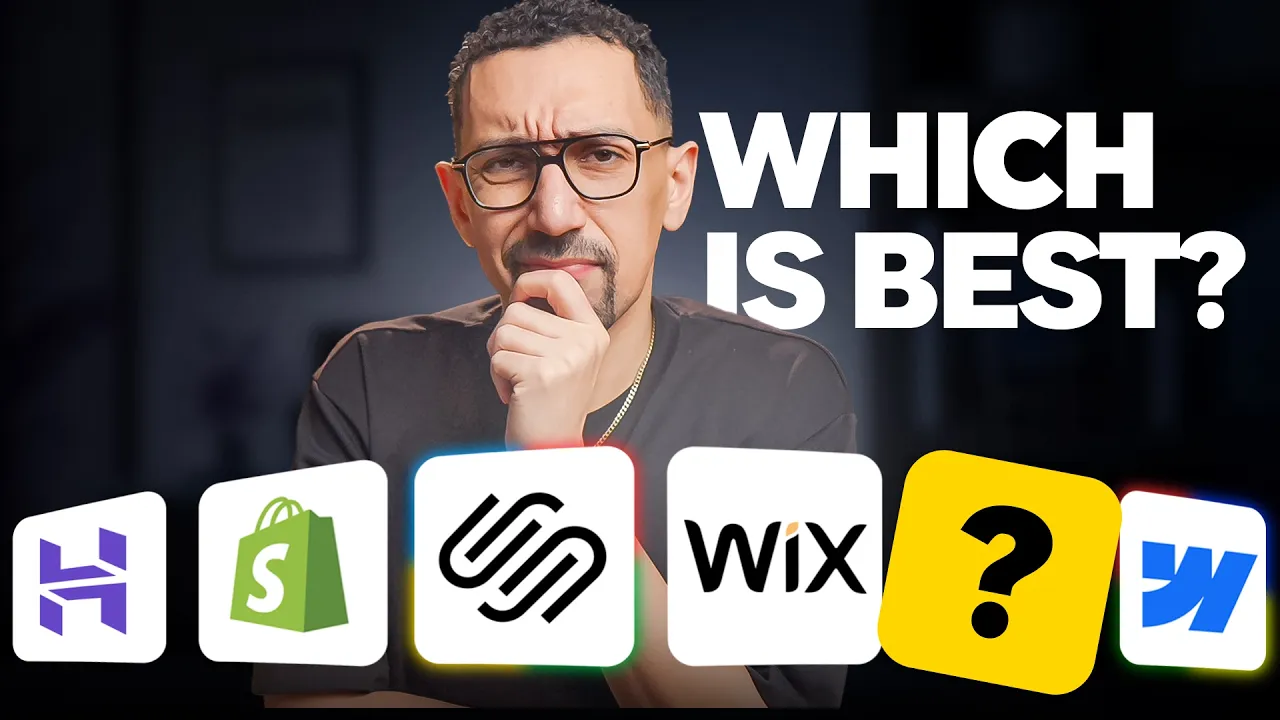
I'm going to walk through six builders using the same five-part framework I give every client and every business owner who asks me this question. First, let’s understand our five-part framework.
Disclosure: This article is sponsored by Squarespace. I was compensated for this content, and some links below are affiliate links, which means I may earn a commission if you sign up. All opinions and recommendations are my own, based on a decade of building over 300 websites across every major platform.
Key Takeaways
I compared six website builders using the same five-part framework I give every client: ease of setup, design quality, built-in business tools, total pricing, and ongoing maintenance.
Squarespace is the best website builder for roughly 95% of small businesses, winning on setup speed, design quality, and near-zero maintenance.
Shopify is the exception, and the right pick when e-commerce is your primary revenue source.
Wix offers the most flexibility, WordPress and Webflow require a developer or technical skill, and Hostinger is the budget option with a low ceiling.
Total cost matters more than sticker price. WordPress is free in name only once you add hosting, themes, plugins, and developer time.
What should you look for in a website builder for small business?
Most comparisons online focus on features. Features are easy to list and hard to evaluate, so that's not where I'm starting. Instead, here's the framework I use with every client, and the one I'll apply to every platform in this post.
Ease of setup. Can you get a real, professional-looking site live without it turning into a long, expensive, frustrating process?
Design quality. Does the finished site look like a modern, credible business, or does it look like it was built in 2012?
Built-in business tools. Can the platform handle what your business actually needs day to day? Scheduling, payments, video hosting, an online store, email marketing, contact forms, and the marketing tools that keep customers coming back.
Pricing and total cost. Not just the sticker price. The real cost once you add hosting, templates, plugins, and the hours you spend keeping it all running.
Ongoing maintenance. Once your site is live, what does it take to keep it that way? And the question most people skip: will you be able to update the site yourself, or will you need to hire a developer every time something needs to change?
Your Business Type | Best Website Builder |
Service businesses: consultants, coaches, freelancers, agencies, lawyers, financial advisors, wellness, dental, and medical practices | Squarespace |
Creative businesses: photographers, designers, videographers, writers, musicians, artists | Squarespace |
Local businesses: retailers, restaurants, salons, contractors | Squarespace (Shopify if heavy e-commerce alongside retail) |
Serious e-commerce as your primary revenue source | Shopify |
Maximum flexibility and the broadest feature "insurance policy" | Wix |
Heavy customization needs with a developer leading the build | WordPress or Webflow |
Tightest possible budget | Hostinger |
I'll score every platform against these five categories. Let's start with the one I recommend most often.
Squarespace
Squarespace is the best website builder for small business for most use cases, and here's exactly why.
Squarespace is an all-in-one platform, which means hosting, templates, your domain, SEO tools, email campaigns, scheduling through Acuity, an online store, video hosting, and AI tools are all built into a single login. Core plans and above also include unlimited users, so your team isn't capped the way it is on some competitors. The Basic plan is limited to two contributors.
Ease of setup. This is best in class. You can have a beautiful, professional website built in a weekend. Pick a template, swap in your content, connect your custom domain, and publish. There's no separate hosting account to set up and no plugin stack to assemble first. You can do everything to build and launch your website inside of Squarespace with no prior experience.
Squarespace also has Blueprint AI, its AI website builder tool, which generates a personalized starter site with layout, copy, and images tailored to your business in minutes. If you've ever frozen up staring at a blank page, this removes that problem entirely. I'd put the overall experience closer to using an Apple product than a traditional builder. You click edit, make a change, hit save, and it's live.
Design quality. This is what Squarespace is known for. Every template is designed in-house, which is why Squarespace consistently wins design awards that most competitors don't even get nominated for. Templates are mobile responsive from the start, and the platform is genuinely difficult to use badly. That's not a small thing. Most small business owners aren't designers, and a platform that protects you from your own design instincts is doing you a favor.
Built-in business tools. These run deep instead of feeling bolted on. Online booking and scheduling through Acuity, payments through Squarespace Payments, Stripe, and PayPal, e-commerce, email marketing campaigns, gated content and courses, lead capture forms, analytics, and SEO tools are all native.
Squarespace also has Beacon AI, a built-in AI business assistant that helps with content creation, SEO optimization, and marketing automations directly from your dashboard. You're not installing a hundred plugins just to get a functioning small business website.
Pricing. This is straightforward, with no surprises. Plans run from $16 to $99 a month billed annually, unless you need their most advanced commerce tools. That includes hosting, a free custom domain name for your first year, SSL, unlimited bandwidth, and 24/7 support. There are a few optional add-ons depending on your business, but the core experience, getting your site live and your custom domain connected, is covered without nickel-and-diming you afterward.
Maintenance. This is basically zero. Squarespace handles updates, security, backups, and uptime, so you focus on your business instead of babysitting software. Updating the site yourself is as simple as click, edit, save.
Squarespace is the right call for consultants, coaches, freelancers, agencies, law firms, creatives, financial advisors, and wellness practices. It's also right for local businesses and online stores that don't need Shopify-level e-commerce depth. If you need a site live by the weekend, which is exactly the position a lot of small businesses find themselves in, this is the fastest legitimate path to something that looks like it cost real money.
Wix
Wix is the insurance policy of website builders. If you need some specific feature down the line that you can't even name yet, restaurant ordering, member areas, multilingual support, there's a strong chance Wix already has it somewhere in its app market. It offers maximum flexibility, and that flexibility is both its biggest strength and its biggest catch.
Ease of setup. This is solid, but there's a real learning curve. You can get a Wix site up quickly, but the drag-and-drop editor gives you so much design freedom that it requires understanding things like padding, margin, and mobile responsiveness yourself. That freedom means more decisions, and more decisions means more ways to break the layout if you don't know what you're doing.
Design quality. This is strong on the surface but thinner underneath. Wix has hundreds of templates, and the newer ones look genuinely modern. The catch is that the best-looking Wix templates are often single-page designs. The moment you need a real multi-page site with home, services, about, contact, and a blog, you're building those extra pages yourself, and they rarely match the polish of the homepage you started with. If you go this route, look for a template built around the actual page structure your business needs, not just the prettiest homepage in the gallery.
Built-in business tools. These benefit from the deepest app market of the group. Wix covers bookings, payments, e-commerce, and email marketing natively, and its app market gives you access to roughly 800 additional tools you can layer on top. This is the insurance policy I mentioned. Whatever you need, there's a good chance someone built an app for it.
Pricing. This includes a free website builder option, though it comes with real limits. Wix offers a free plan to test the platform, but it comes with Wix branding on your site, no custom domain, and limited storage, which makes it a non-starter for an actual business. Paid plans start at $17 a month, and business or e-commerce plans run $29 to $39 a month billed annually, with a free domain included in year one. Each tier adds nuance around collaborator seats and storage, but the core tools a small business needs are included without forcing extra purchases.
Maintenance. This is easy once the site is built, and the platform stays flexible by design. The same editor freedom that creates a learning curve up front also means you can drop any element anywhere on the page later. If you have a very specific layout in mind, Wix gives you the room to build it.
Wix is the right pick if you have a specific layout vision and want full control over every pixel. For everyone else, Squarespace will get you a better-looking site with less work.
Shopify
Shopify is built for one thing above all else: serious e-commerce. In some ways it isn't really a general website builder. It's an e-commerce platform that happens to come with a website attached, which is exactly what you want if selling products online is the core of your business.
Ease of setup. This is easiest for products and hardest for design. Setting up products, inventory, shipping, taxes, and checkout is easier on Shopify than anywhere else on this list. The design side is a different story. Plenty of business owners get stuck and never launch because the design experience is genuinely difficult without help, often requiring a developer at a cost of a few hundred to a few thousand dollars. My honest advice: if you're running an online store, find a premium template you love on the Shopify theme store and start there, even if it costs $200 to $400. It will save you far more time and frustration than fighting with the free options.
Design quality. This is strong, especially in the premium tier. Shopify themes are built specifically for product pages, collections, and checkout flows, and a developer who knows the platform can produce a genuinely beautiful storefront.
Built-in business tools. These are unmatched for e-commerce. Inventory management, abandoned cart recovery, shipping, taxes, email campaigns, and multi-channel selling across Amazon, Instagram, TikTok Shop, and point of sale are all native. Customer accounts are built in as well, and Shopify's app store has over 10,000 apps covering nearly anything an online store could need.
Pricing. This works best when you start with the plan that matches your volume. Plans begin at $29 a month for Basic billed annually, which covers getting started selling online, but most small businesses I see actually need the Grow plan starting at $79 a month. Above that sit the Advanced plan at $299 a month and the Plus plan starting at $2,300 a month.
Transaction fees matter across every tier, and the real hidden cost is the app store. Almost every serious Shopify store ends up paying for several apps covering reviews, upsells, SMS marketing, and subscriptions. If your needs are lighter and you're comparing options, something like Square Online can work as a simpler, lower-cost entry point for smaller catalogs, though it won't match Shopify's depth as you scale.
Maintenance. This is easy for products and harder for design. Updating products, pricing, or your blog is straightforward. Real layout or design changes will likely need a developer.
Shopify is the right pick if e-commerce is your primary revenue source, you're processing real volume, and you want best-in-class checkout along with the ability to sync online and in-person sales through a local POS.
WordPress
WordPress powers a huge share of the internet, and there's a reason for that. It's completely open source and infinitely flexible, with a plugin for nearly anything you could imagine. For most small business owners reading this, though, it's rarely the right choice, and I want to explain exactly why instead of just asserting it.
Ease of setup. This is difficult, by design. Out of the box, WordPress hands you an empty dashboard and a steep learning curve built on a system designed more than 20 years ago. You'll need to source your own web hosting, buy a domain separately, install a theme, install a page builder like Elementor, install an SEO plugin, install a forms plugin, and install a security plugin just to reach parity with what Squarespace or Wix give you on day one. If you don't already know what you're looking for, you won't know if what you've built is even the right solution.
Design quality. This is wildly inconsistent. Some WordPress themes are gorgeous. Many are dated, and it's genuinely hard to judge a theme's real quality just by looking at it. You don't know if it was built by a real team, a solo developer, or whether it's still being maintained at all.
Built-in business tools. These basically don't exist. Everything is a plugin. Bookings, email marketing, even basic site security, all separate plugins, each from a different vendor with its own update cycle and its own subscription.
Pricing. This is free in name only. WordPress the software is free, but by the time you add web hosting, a premium theme, a page builder, and the essential plugins, most WordPress sites cost more than people expect, and that's before factoring in a developer to make it look and function the way you want.
Maintenance. This is the worst on this list. Updates happen constantly, plugins conflict, and things break. For a small business owner without a dedicated developer, keeping everything running is genuinely chaotic.
WordPress earns its place if you have very specific customization needs or already have a developer who knows the platform well. For the average small business owner, I wouldn't recommend it.
Webflow
Webflow is a genuinely beautiful platform built for a very specific kind of user.
Ease of setup. This comes with a steep learning curve. Webflow is designed for people who understand CSS, flexbox, and classes. If that sentence didn't mean anything to you, Webflow will feel like a daunting builder rather than a website builder for small business owners without technical backgrounds.
Design quality. This is exceptional if you know what you're doing. Webflow templates are professionally designed, and the platform gives you precise control over every detail, which is a real advantage for developers and designers.
Built-in business tools. These are limited. Webflow's standout feature is its CMS, a proper content management system, plus basic e-commerce functionality. It lacks native scheduling, email marketing, and most of the small business tools you'll need out of the gate, which means integrating third-party tools, most of which work fine but add complexity.
Pricing. This gets confusing fast. Plans start at $15 a month for Basic and $25 a month for the newer Premium tier, billed annually. Adding e-commerce pushes the range to $29 to $212 a month, plus add-ons and a per-user fee for every seat in the workspace. With more than 17 pricing combinations on their pricing page alone, this is the least transparent option on this list.
Maintenance. This splits between easy and hard. Webflow handles hosting and platform updates, and there's an editor mode for updating text and images on existing pages. The moment you need a structural change, a new section, a real layout update, you're back in the designer, which requires development knowledge.
Webflow is the right pick if you're a designer, have one on your team, or you're working with an agency to build and maintain the site. As a do-it-yourself tool for a non-technical small business owner, it's the wrong fit.
Hostinger
If price is the single deciding factor and you just need a basic site online today, Hostinger is the budget option I point people toward.
Ease of setup. This is fast, with real limits. Hostinger's AI website builder gets you online quickly and is simpler than the bigger platforms, which makes it easier to use but more limited in what you can ultimately do with it.
Design quality. This is fine but not memorable. It's acceptable for a simple website but isn't in the same league as Squarespace or Webflow on design quality.
Built-in business tools. These cover the basics and nothing more. You get the essentials, but there's limited depth, and if your needs grow you'll likely run into a ceiling.
Pricing. This is the entire appeal here. Plans start at just a few dollars a month, sometimes under $5 on longer-term commitments, with a free domain included annually.
Maintenance. This is simple, for a simple site. Hostinger handles web hosting and platform updates, and the AI builder is straightforward enough to update yourself.
The trade-off is the platform ceiling. Once your business outgrows a basic site, you'll need to rebuild elsewhere. For anyone on the absolute tightest budget who needs to be online today, this works. For everyone else, paying a little more for a different platform will give you far more room to grow.
Which website builder fits your business
Putting all five platforms together by business type:
Service businesses, consultants, coaches, freelancers, agencies, lawyers, financial advisors, wellness practices, dentists, and medical practices: Squarespace.
Creative businesses, photographers, designers, videographers, writers, musicians, artists: Squarespace.
Local businesses, retailers, restaurants, salons, contractors: Squarespace, with one exception. If you're running heavy e-commerce alongside your retail location, look at Shopify instead.
If you want maximum flexibility and the broadest insurance policy of features: Wix.
If you have heavy customization needs or a developer who can lead the build: WordPress or Webflow.
If you're on the tightest possible budget: Hostinger will get you online.
Frequently asked questions
What is the best website builder for small business?
For most small business owners, Squarespace is the best website builder for small business needs in 2026. It wins across ease of setup, design quality, built-in business tools, pricing, and maintenance for somewhere around 95 percent of the businesses I work with. The exception is heavy e-commerce, where Shopify takes the lead instead.
Which free website builder is best?
If you specifically need a free website builder, Wix's free plan is the most usable starting point, though it comes with Wix branding, no custom domain, and limited storage, so it works as a test drive rather than a real business solution. Square Online also has a free plan with hosting included if you're focused purely on a basic online store. Once you're actually running a business, plan to upgrade to a paid tier on whichever platform you pick.
Can I manage business listings with Squarespace?
Not directly from the dashboard. Squarespace doesn't include a built-in tool for pushing your business information across directories or managing your Google Business Profile. What you can do is set up a free Google Business Profile yourself and link it to your Squarespace site, which is one of the highest-impact local SEO moves for any small business. If you want automated listings management across dozens of directories, you'd pair your site with a third-party tool built for that.
Do I get free web hosting when I create a website with Square?
Yes. Square Online includes free web hosting on its free plan, so you can launch a basic online store without paying for hosting separately. Upgrading to a paid plan removes Square's branding, lowers transaction fees, and unlocks a custom domain.
Wix vs. Weebly: which website builder is best?
Wix wins this one for most small businesses. It has a bigger app market, more design flexibility, and stronger built-in business tools. Weebly, now part of Square Online, is simpler and ties directly into Square's payment processing, which makes sense if you're already using Square for in-person sales and want something basic. For a real website builder for small business setup with more than a handful of products or pages, Wix is the stronger pick.
What is the best website builder for a small business with no coding experience?
Squarespace and Wix are both built for this. Squarespace gets you there faster with less decision-making, since the templates are pre-built and genuinely hard to break. Wix hands you more drag-and-drop editor control if you want to fine-tune the layout yourself, at the cost of a slightly steeper learning curve. Either way, you won't touch code.
What is the most user-friendly website builder for small business owners?
Squarespace. The combination of polished templates, an AI website builder option through Blueprint AI, and a simple click, edit, save workflow makes it the easiest platform on this list to use, even if you've never built a website before.
What features should I look for in a website builder for my small business?
Run any platform through the same five categories I used throughout this article: ease of setup, design quality, built-in business tools, total pricing, and ongoing maintenance. Beyond that, prioritize a custom domain, responsive design that works automatically on mobile, business email tied to your domain name, basic seo tools, and either built-in marketing tools or easy integrations for email and social. If you sell products, add e-commerce and payment processing to the list. The platforms that score well across all of these will save you the most time and money over the next few years, not just on day one.
My honest verdict
I'll admit I might sound biased here, but after building over 300 websites as a working developer, Squarespace comes out ahead across all five parts of this framework for the overwhelming majority of small business owners reading this, somewhere around 95 percent of you. You pick a template, add your content, connect your custom domain name, and you're live with a site that looks like it belongs to a real, established business rather than something thrown together over a weekend.
I'm not going to dress that up with superlative claims you can't verify yourself. Try Blueprint AI, look at the actual templates, and judge the design quality with your own eyes. If you decide Squarespace is the right fit, you can start a free trial and have your site live by next week, and there's a discount code, ISKANDER20, available for anyone ready to get started.
Whichever platform you land on, the goal is the same: a professional online presence you can actually maintain yourself, without needing a developer on call for every small change.