AI Ad Campaign: How I Built a Luxury Campaign in One Afternoon
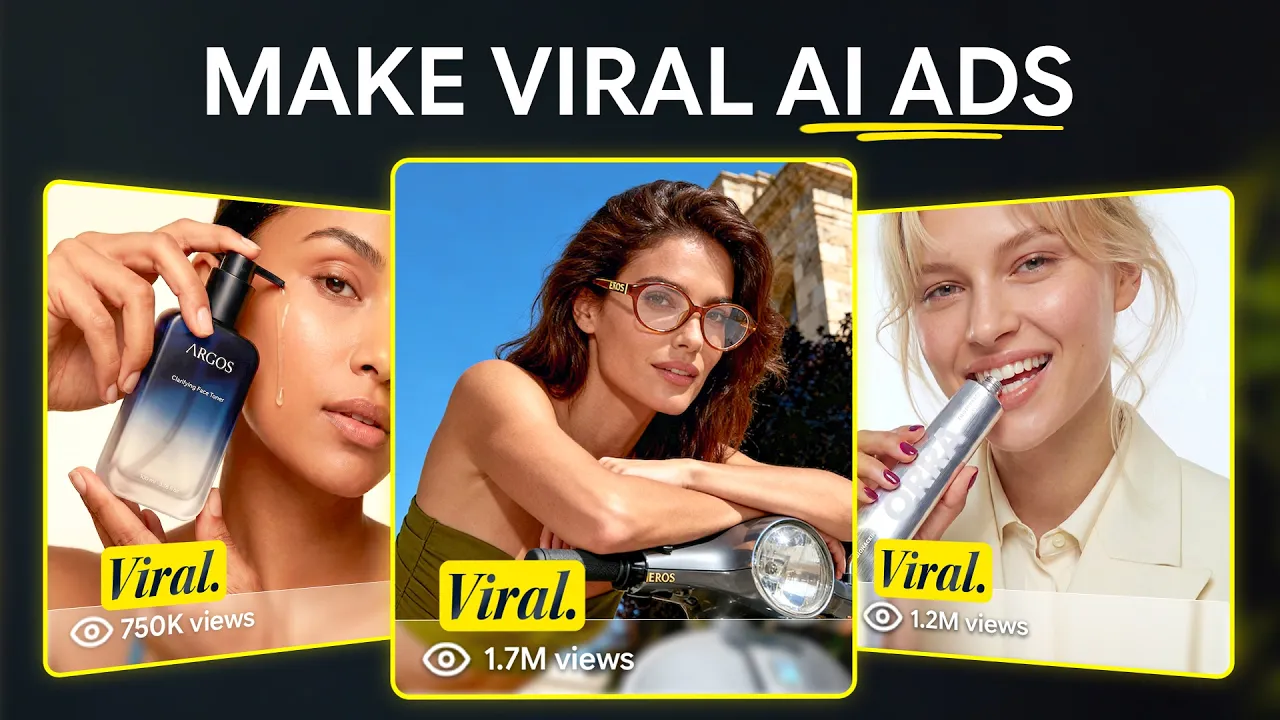
I gave myself one afternoon to build a complete luxury ad campaign: photo shoots, static ads and video ads, with no camera, studio or design team. The trick isn't a better prompt. It's doing three things in the right order, and most brands skip the first one.
Software
9 min
With Riverflow, you're allowed to be picky.
Disclosure: Riverflow sponsored the video this post is based on. The workflow and opinions are my own. Some links below are affiliate links.
Deal: Build your own campaign with Riverflow AI using my link. https://go.davidalex.com/riverflow" rel="sponsored nofollow">Try Riverflow
Quick answer
You can build a full luxury ad campaign with AI in one afternoon if you follow three steps in order: Setup, Style, then Scale. In Riverflow, import your brand from your URL, build a custom style from a mood board, then batch generate photo shoots, static ads and video ads. My test produced 10 keepers in under an hour of generation.
Step | What you do in Riverflow | Why it matters |
1. Setup | Paste your URL, click Analyze Your Brand | Logos, fonts, colors, values and products load automatically |
2. Style | Upload up to 5 mood board images, set primary and accent colors | Every asset shares one look, like one creative director shot it |
3. Scale | Run photo shoots, batch 10 images, turn keepers into static and video ads | The volume your ad accounts need, without losing consistency |
Why most AI ad campaigns look inconsistent
If you're making content for a brand right now, you know the squeeze. Deadlines are tighter, shoot budgets are smaller, teams are smaller, and the algorithms keep asking for more creative.
AI looks like the answer, but most AI tools give you 10 images that look like 10 different brands. That's fine for brainstorming. It falls apart the moment you need a campaign, because a campaign is a set. The photo shoot, the static ads and the video ads all have to feel like they came from the same day on the same set.
The problem usually isn't the model. It's the order. Most people skip straight to generating. They open a tool, type a prompt, hope it works, and then decide that "AI can't do brand work." A real photo shoot doesn't start with the camera. It starts with organized assets and a defined style, and then production is fast. An AI ad campaign works the same way.
How I tested this
I gave myself one afternoon to build a complete luxury campaign inside Riverflow, with no camera, no studio and no design team. I imported a brand from its URL, built a custom style called Summer Orange from my own mood board, ran photo shoots across several scenes, batch generated 10 images in one go, ran a batch camera-angle action, and turned keepers into a static ad and a video ad. Everything you see in the video was generated on screen.
What is Riverflow?
Riverflow is an AI creative tool built for consumer brands. I'd call it a creative production system rather than an image generator: it stores your brand, your products and your styles, and every image you generate pulls from that foundation. That's what gives you consistency across dozens of assets.
According to Riverflow, its Riverflow 2.5 Pro model ranked as the number one image model on Design Arena, ahead of GPT Image 2 and Gemini. Riverflow tunes that model specifically for consumer brand work.
Pick Riverflow if your ad performance depends on volume and consistency of creative, and you'd rather build a system once than prompt from scratch every time.
Step 1: Setup (the step most brands skip)
Setup is the least glamorous part, and it decides everything else.
Import your brand from your URL
On the brand page, paste your website URL and click Analyze Your Brand. Riverflow pulls your logos, fonts, colors, core values and products, whether you sell one product or a thousand. You can edit anything it finds.
If you'd rather not use your URL, you can enter everything manually: brand style, values, logos, fonts and colors. Either way, your real brand now lives inside the tool. For most brands, the URL import alone saves hours of product uploads.
Give every product a clean white-background image
This isn't required, but it makes a real difference. Riverflow drops your actual products into scenes, so the source image matters. Use one well-lit photo per product on a clean white backdrop. Feed it a messy photo and you may get a messy result.
Step 2: Style (decide what the campaign looks like)
Here you answer the question every campaign starts with: what kind of campaign are you producing? Instead of prompting and hoping, you build a style once and reuse it on every asset.
Build a custom style from a mood board
Go to the Style Rules page. You'll see public styles, which are presets you can use for your brand. For your own campaign, click Create New. You can describe the look in words, or upload reference images.
I built a mood board for this campaign and called the style Summer Orange. It's just a handful of images that show the product shots and colors I wanted. You don't need a polished mood board. You can upload up to five images.
Set your primary and accent colors
I set the primary color to a bright orange and the accent color to a darker orange, then clicked Generate. That style now sits behind every asset in the campaign.
If you want a deeper walkthrough of brands, products and styles, I cover the full setup in my Riverflow AI tutorial.
Build your first campaign style in Riverflow
Step 3: Scale (photo shoots, static ads and video ads)
With setup done and the style locked, production is the fast part.
Run your first AI photo shoot
From the home screen, click New Photo Shoot, then:
Pick a scene. There are many pre-built scenes. Click See More on any scene to get more options like it.
Pick a product. Every product from your brand import shows up here. You can add more products, a character or a reference image.
Add your style. Select the custom style you built.
Set size and count. I kept a 1:1 aspect ratio and asked for four images.
Click Generate.
The four results took a few moments. The bottle was accurate, with no warped labels, and Riverflow even added moisture to the glass. In one shot a hand holds the bottle, with the fingers wrapping around it naturally.
I then generated three more images with the same product and style but a much lighter scene. They still looked like the same shoot, with the same lighting, mood and palette. As far as the tool is concerned, they were the same shoot, because the style was already set.
Refine the image you like
Getting a first draft has never been the hard part with AI. Finishing it is. From any image, you can change the aspect ratio, generate new angles, swap products and fix product details. For the full set of editing tools, see my AI product photoshoot guide.
Turn a keeper into a static ad
Static ads use the same images, with headlines and offer copy on top:
Choose an ad template.
Add a product image (I used one I'd just generated).
Add your logo and your custom fonts, or pick other fonts.
Choose colors and update the copy.
The result followed my instructions, kept the image quality and placed the text correctly.
Turn a keeper into a video ad
Click Generate Video on any image. You can add motion presets, choose the video model, set the size and the frames per second. I asked it to bring the glass in and spin the cup from the stem, clicked Enhance Prompt to expand that into a full prompt, and generated. The video kept the scene and added a slow zoom. You can add text overlays, drop it into a longer edit or use it as is for Meta and TikTok.
Batch generate the rest of the campaign
This is what turns a few images into a campaign. On the Photoshoots page, click Batch:
Pick your product, aspect ratio and model.
Select your custom style.
Click Add Scene and add several scenes. I used four.
Set the number of generations per scene. I did 2, 2, 4 and 2.
That's 10 images in one run, all in the same style.
There's a second way to batch. In the left sidebar, open the batch actions and choose an action. Options include changing or setting the background color, translating ads into other languages, changing the camera angle, recoloring, cleaning up a product, changing the aspect ratio and a freestyle prompt. I picked change angle, chose a starting image from the photo shoot, set a different camera angle for each of three outputs, named the batch, previewed it and submitted.
If you want to go further and scale a single image into 100 ad variations through a chat, see how I turn one product photo into video ads with Claude and Riverflow.
How long does an AI ad campaign take?
My final campaign was 10 keepers in less than an hour of generating, and the whole build fit in one afternoon. Most of that time was me being picky, which is the point: you can afford to be picky when a new version takes moments.
Traditional luxury shoot | AI ad campaign in Riverflow | |
Crew and gear | Studio, photographer, props, models | Your computer |
Cost | Tens of thousands of dollars | A Riverflow plan |
Time | Weeks from brief to deliverables | One afternoon |
Consistency | Set by the creative director on the day | Set once by your saved style |
More versions | Another shoot | Another batch |
Looked at as a set, the campaign is cohesive and premium, and it reads as one brand. If someone told me an agency had made it, I'd believe them.
How much does Riverflow cost?
Riverflow sells credit-based plans. As of October 2026, its pricing page lists these monthly credit allowances:
Plan | Credits per month |
Growth | 6,000 |
Scale | 16,000 |
Business | 70,000 |
Enterprise | Custom |
Check the current dollar prices on Riverflow's pricing page before you sign up.
Who should use AI for ad campaigns?
Riverflow is built for e-commerce brands, D2C founders and agencies managing client creative. It fits anyone whose ad results depend on producing a lot of consistent creative. According to Riverflow, more than 5,000 creative teams already use it.
Pick it if you need a campaign's worth of photo shoots, static ads and video ads that all match. Skip it if you only need a single hero image once a year.
Start your AI ad campaign with Riverflow
AI ad campaign FAQ
Can AI create a full ad campaign?
Yes. With a tool like Riverflow you can produce photo shoots, static ads and video ads for one campaign. The key is setting up your brand and a saved style first, so every asset shares the same look.
How do I keep AI images consistent across a campaign?
Build a reusable style from a mood board and apply it to every generation. In my test, images from different scenes still looked like one shoot because they shared the same style.
Can AI make luxury or high-end product ads?
Yes, if your inputs are good. Use a clean, well-lit white-background photo of each product and a mood board that shows the premium look you want.
How long does it take to make an ad campaign with AI?
My luxury campaign took one afternoon, with 10 final images generated in under an hour. Batch generation does most of the volume work.
Can AI turn product photos into video ads?
Yes. In Riverflow you click Generate Video on any image, add motion and a prompt, and get a clip you can use for Meta or TikTok.